In hybrid development scenarios, Flutter’s relatively large binary footprint has long been a point of criticism. Google has explicitly stated that Flutter won’t support dynamic loading by default, and there’s no official customization path from the Flutter SDK itself. If you want to slim things down, you have to roll up your sleeves.
Before you can reduce the size, you need to understand what’s in the artifact, what can be removed, and how to reload the removed parts. This post tackles those questions for both iOS and Android, covering Flutter artifact structure and size reduction strategies.
Let’s start with iOS.
Note: All data and code snippets in this post come from a Flutter Module built on Flutter 1.17.1 in Release (AOT Assembly) mode, without any post-processing compression.
1. iOS
1.1 Artifact Structure
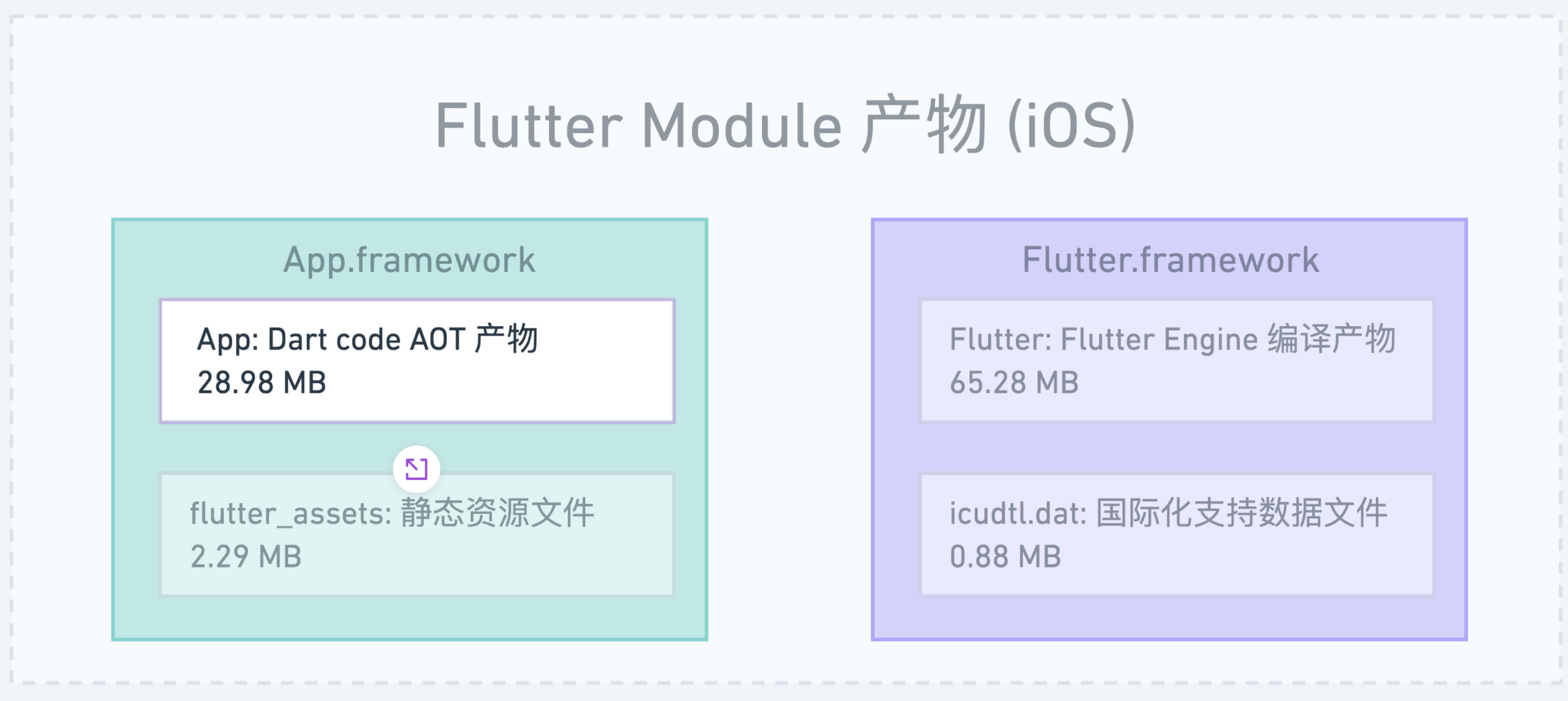
Running flutter build ios-framework produces a Flutter Framework that iOS hosts can integrate — this is what we call the Flutter artifact. It consists of:
-
App.framework
App: AOT-compiled output from your Dart business codeflutter_assets: Flutter static resources
-
Flutter.framework
Flutter: Compiled Flutter Engine binaryicudtl.dat: Internationalization data file
After building, you can inspect the sizes of each component in the terminal. Here’s the resulting iOS artifact structure:
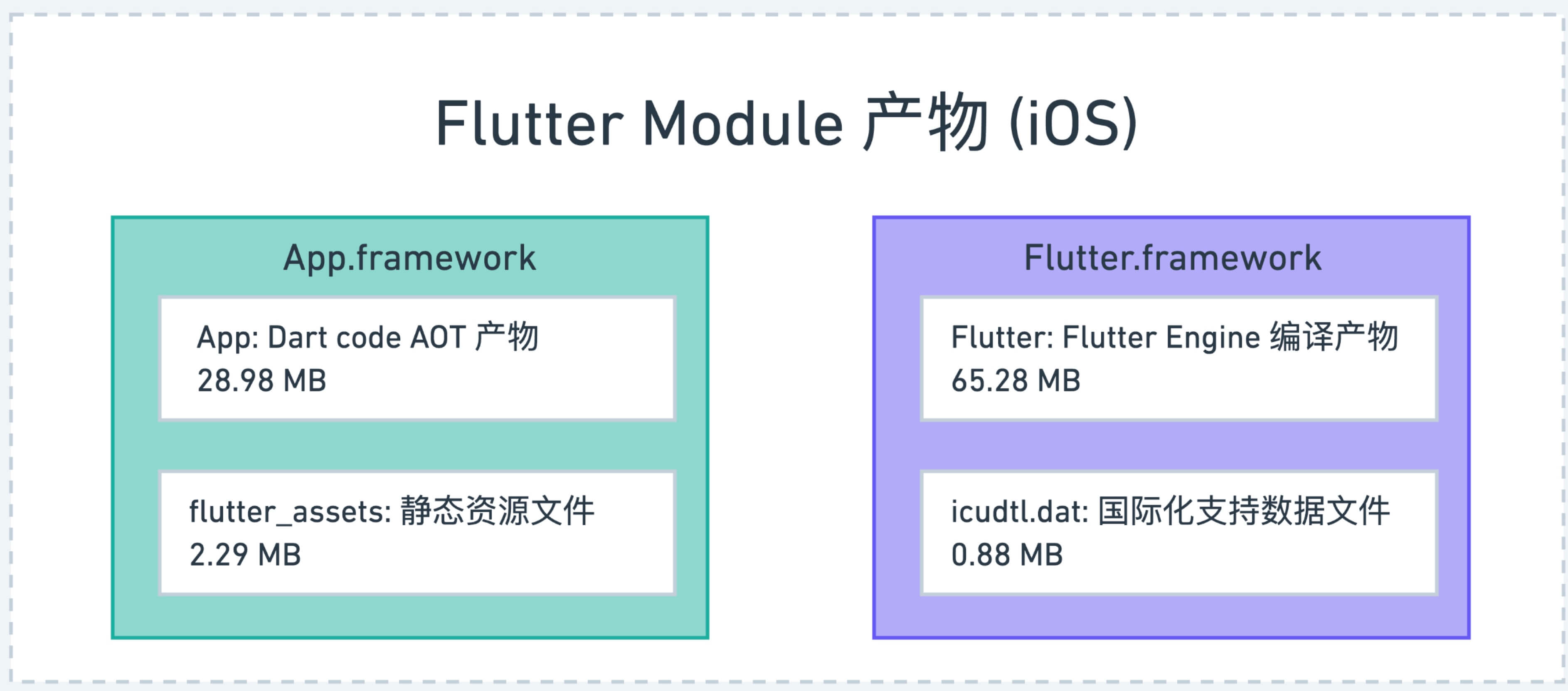
Note: Mac Finder shows sizes with a 1000-byte multiplier rather than 1024. Use the command line and calculate manually.
Also: The engine artifact size uses profile mode (arm64+arm32) because Flutter 1.17.1 release has a bug where bitcode can’t be compressed, inflating it to 351.47 MB. See Flutter app size is too big · Issue #45519.
1.2 Size Reduction Strategies
There are two fundamental approaches:
- Delete artifacts: Remove unused parts entirely.
- Move artifacts: Extract parts that can be temporarily removed, host them remotely, and modify the loading logic to support dynamic loading.
Let’s go through each component.
1.2.1 App.framework/App
First, let’s understand how App.framework/App is built:
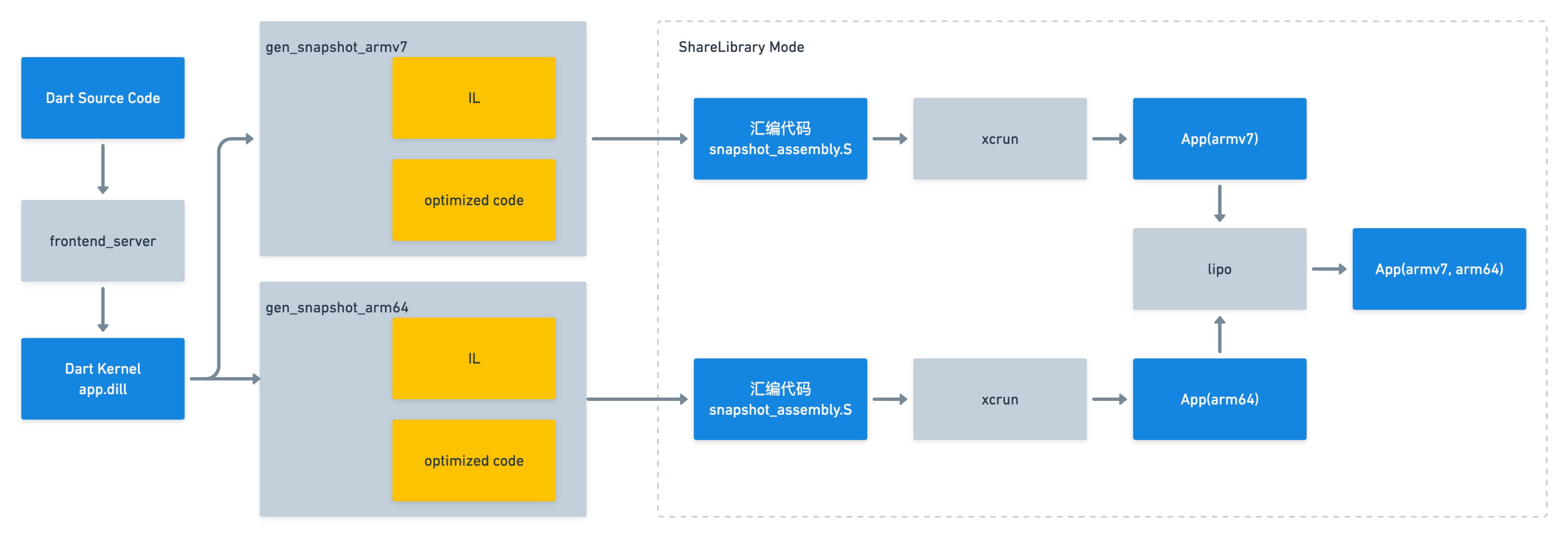
The frontend_server compiles Dart source into an intermediate dill file. Running the following achieves the same result:

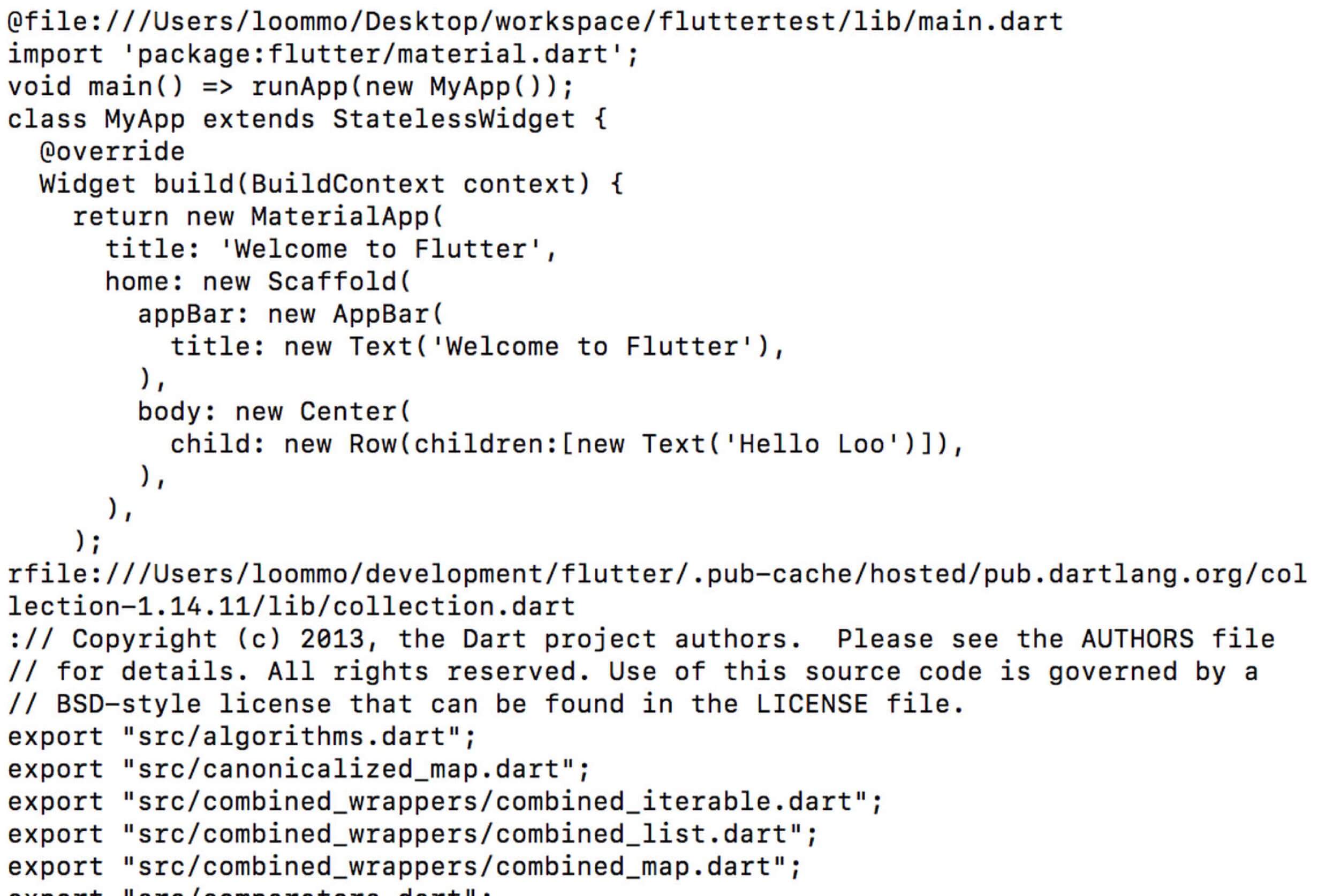
app.dill is binary bytecode — running string app.dill reveals it’s essentially a merged version of all your Dart source:
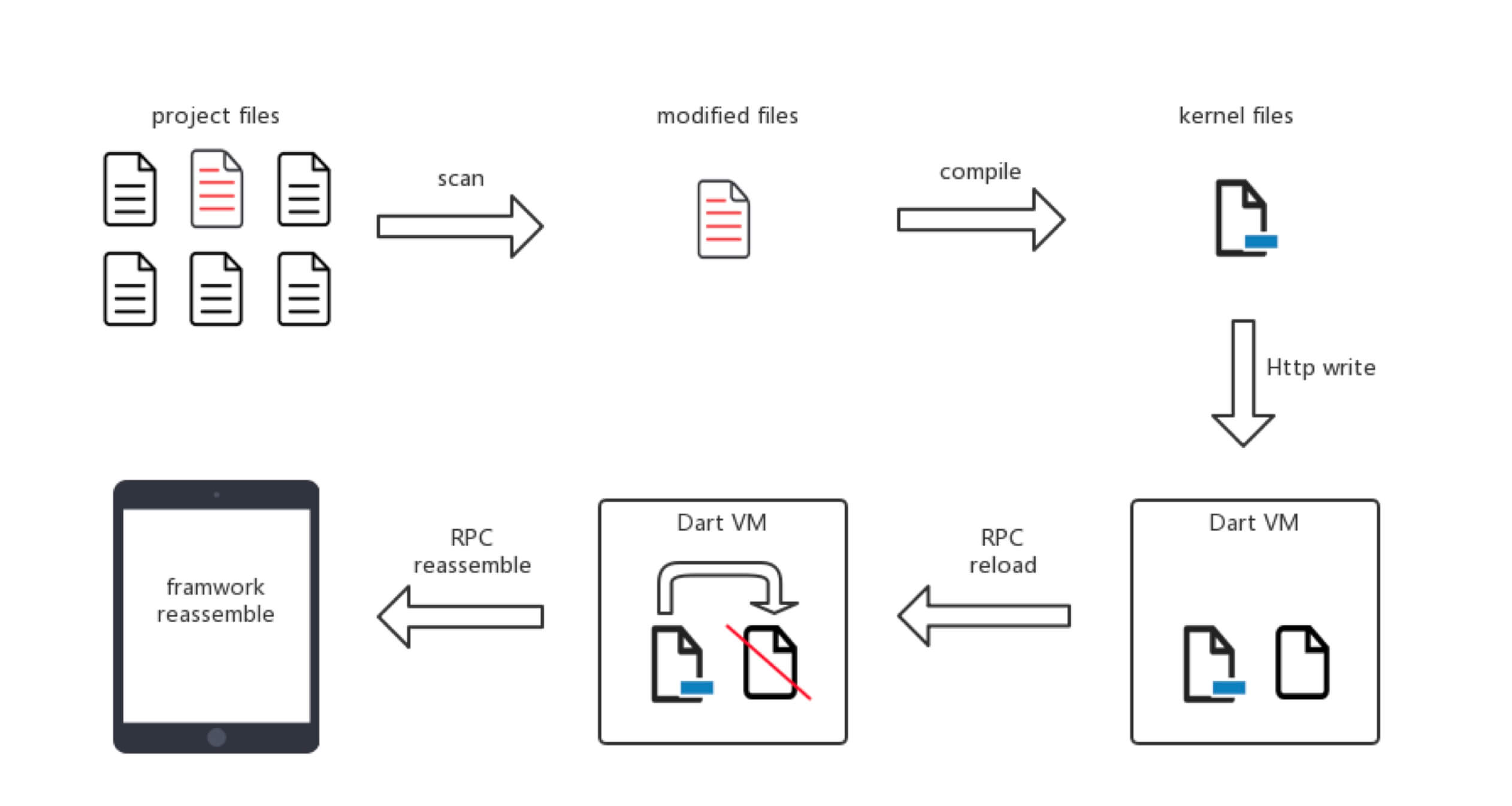
Flutter’s Hot Reload in development mode works by compiling changed code through the frontend_server into an incremental kernel (app.dill.incremental.dill), pushing it to the Dart VM via WebSocket, which then triggers a full widget tree rebuild.
After the dill stage, platform-specific gen_snapshot tools compile to IL instructions and optimized code, producing assembly output. xcrun turns it into a single-architecture binary; lipo combines it into a dual-architecture App binary.
ARMv7: iOS devices before iPhone 5s. ARM64: iPhone 5s and later.
Delete
This chunk is the largest component — AOT-compiled Dart code. Flutter’s size analysis tool gives you a breakdown:
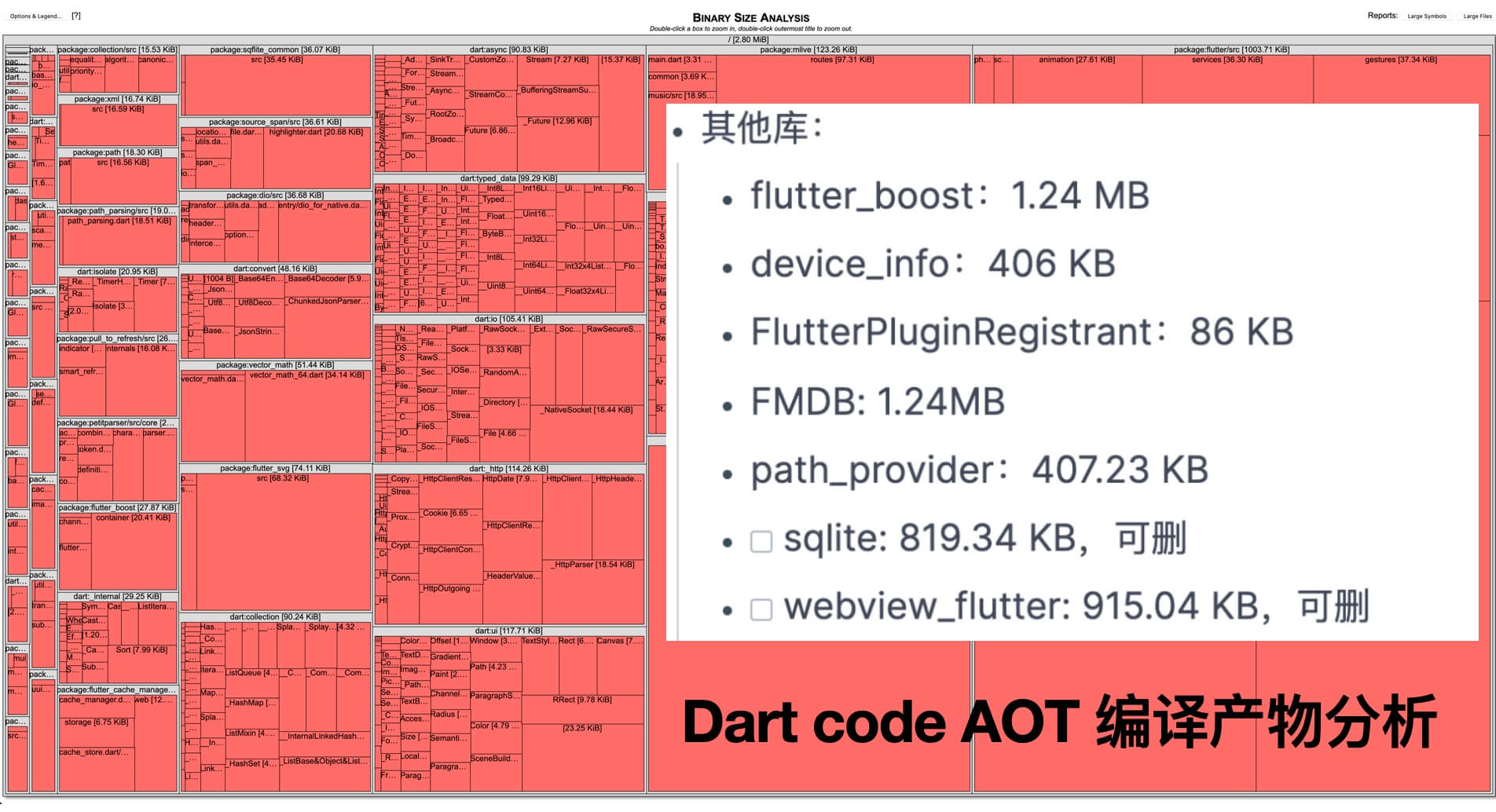
We found two dependencies our project wasn’t actually using — removing them helps immediately.
Additional optimizations to reduce code size:
- Configure linter rules to disallow unnecessary patterns like explicit type casts — these add
try-catchblocks at compile time that inflate the binary. - Obfuscate Dart code: 0.75 MB (2.5%) reduction
You can also strip symbols:
- Disable stack trace symbols: 1.8 MB (6.2%) reduction
- Remove dSYM symbol table: 5.8 MB (20%) reduction
dSYM files store hex-to-function-name mappings and are used for crash report symbolication. Removing them means you won’t be able to decode crash reports without them — make sure to archive them separately.
Move
The App binary is composed of four AOT snapshot sections:
- kDartIsolateSnapshotData: Isolate snapshot data — the initial Dart heap state, including isolate-specific information.
- kDartIsolateSnapshotInstructions: Isolate snapshot instructions — AOT instruction code executed by the Dart isolate.
- kDartVmSnapshotData: VM snapshot data — shared initial Dart heap state across isolates.
- kDartVmSnapshotInstructions: VM snapshot instructions — AOT instruction code shared across all Dart isolates in the VM.
See the official wiki for more: Flutter Engine Operation in AOT Mode
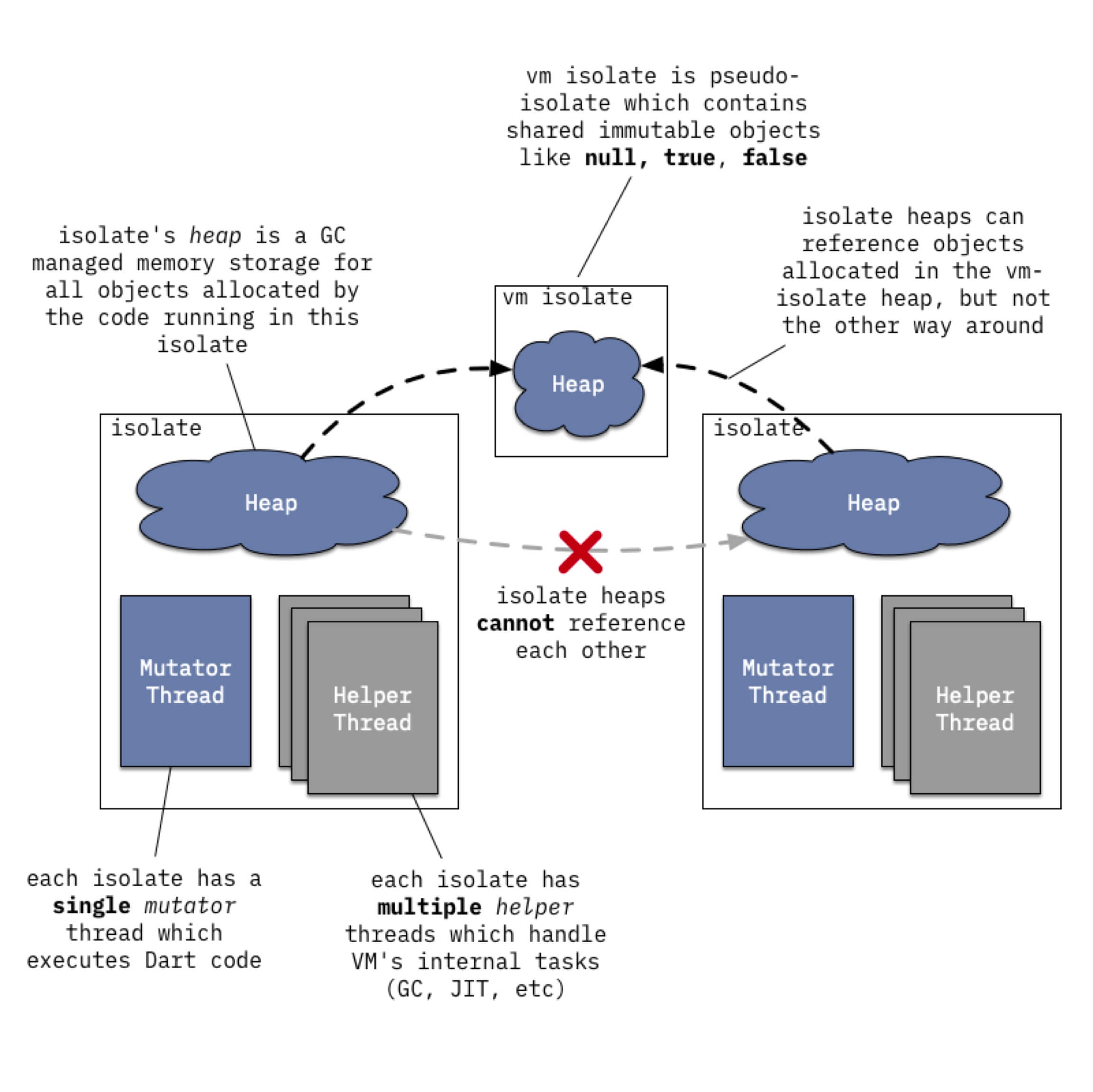
In the same process, isolates share the VM Isolate as a communication bridge. Here’s the isolate relationship:
Breaking down App.framework by these sections:

App Store review policy prohibits dynamic delivery of executable binary code. This means we can only remotely deliver the data sections (kDartIsolateSnapshotData and kDartVmSnapshotData). The instruction sections must remain in the app.
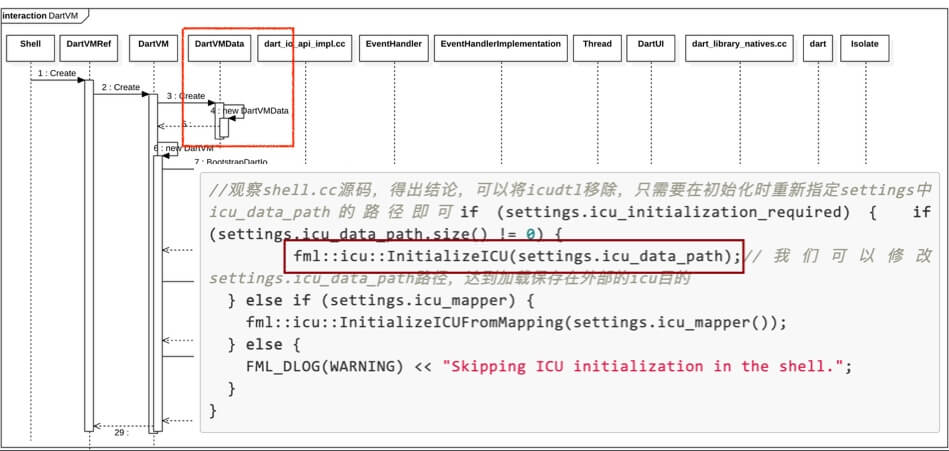
Where do we split the snapshot? During Dart VM startup’s data loading phase — modify the settings object to point the snapshot library paths to the remote location:
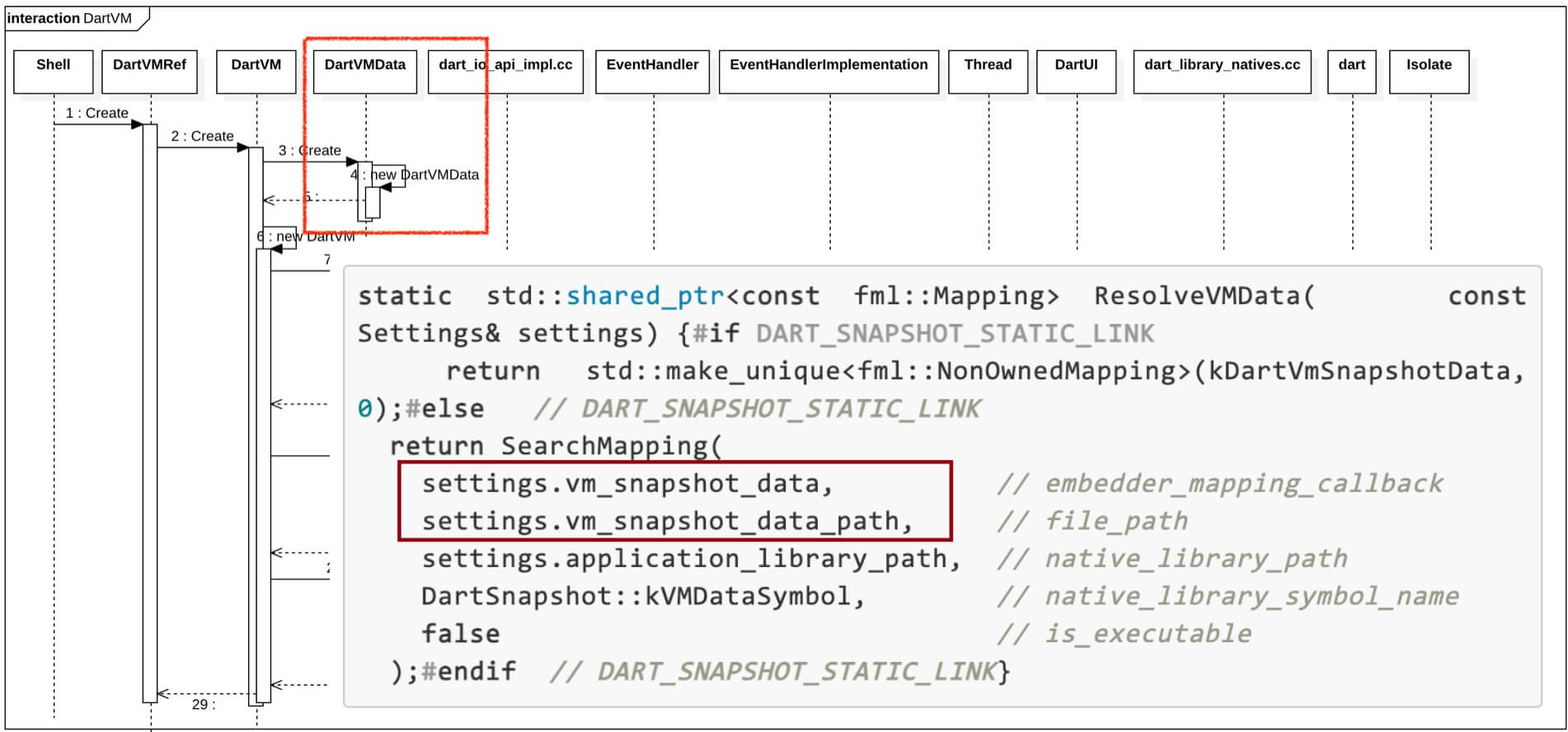
The specific code changes aren’t covered here — Q Music Live Flutter Package Trimming (iOS) provides a detailed walkthrough.
1.2.2 App.framework/flutter_assets
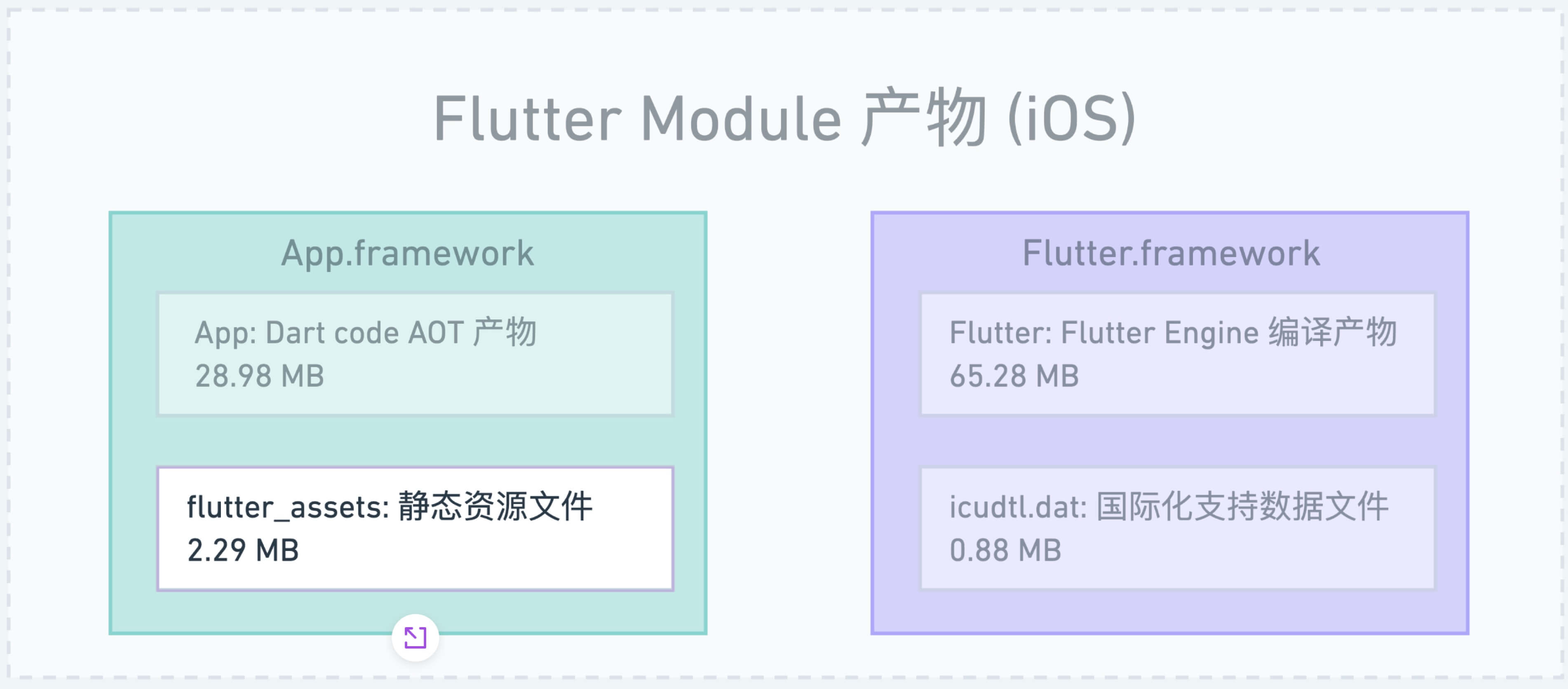
flutter_assets contains the Flutter Module’s local static resources. You can’t delete these, but you can move them. Two approaches:
Standard approach: Modify settings.flutter_assets during Dart VM startup to point to a remote path. This is the recommended way.
Alternative (no engine modification needed): Use CDN images + disk cache + preloading:
- Create a custom
Imagecomponent that uses local images in development and CDN images in production. - Modify CI to strip
flutter_assetsfrom the build and publish its images to CDN. - Enhance the
Imagecomponent withcached_network_imagefor disk caching. - On Flutter module load, call
precacheImageto preload CDN images.
This alternative approach is more complex and requires environment-specific logic, so the engine modification route is generally preferable.
1.2.3 Flutter.framework/icudtl.dat
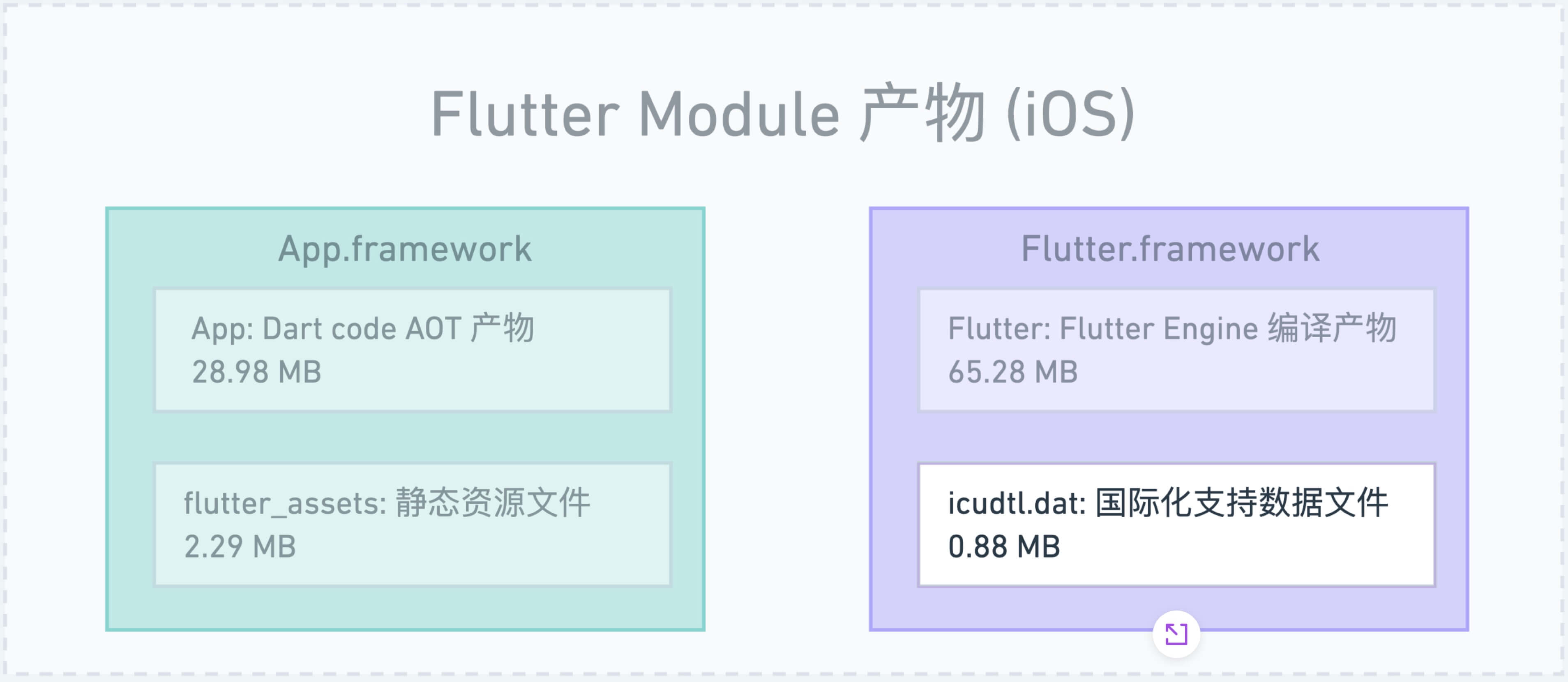
icudtl.dat is the internationalization data file. Don’t delete it — move it instead. Same as above: modify settings.icu_data_path during Dart VM startup to point to the remote location:
1.2.4 Flutter.framework/Flutter
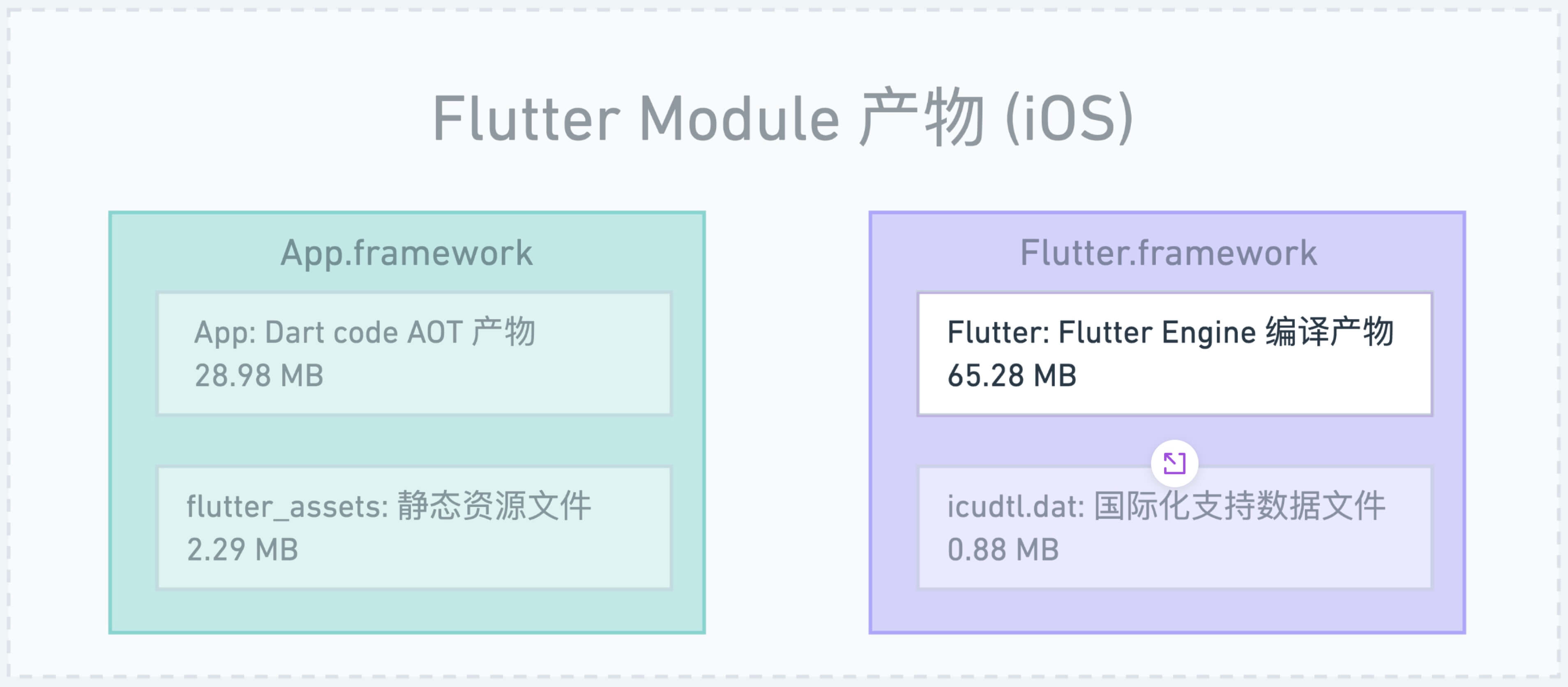
This is the compiled Flutter Engine (C++) binary — the largest single component. Referencing ByteDance’s talk How We Reduced Flutter Package Size by Nearly 50%, there are two optimization angles here:
Compile Optimization
Flutter Engine uses LLVM for compilation. The link-time optimization (LTO) has a Clang Optimization Level parameter (in buildroot):
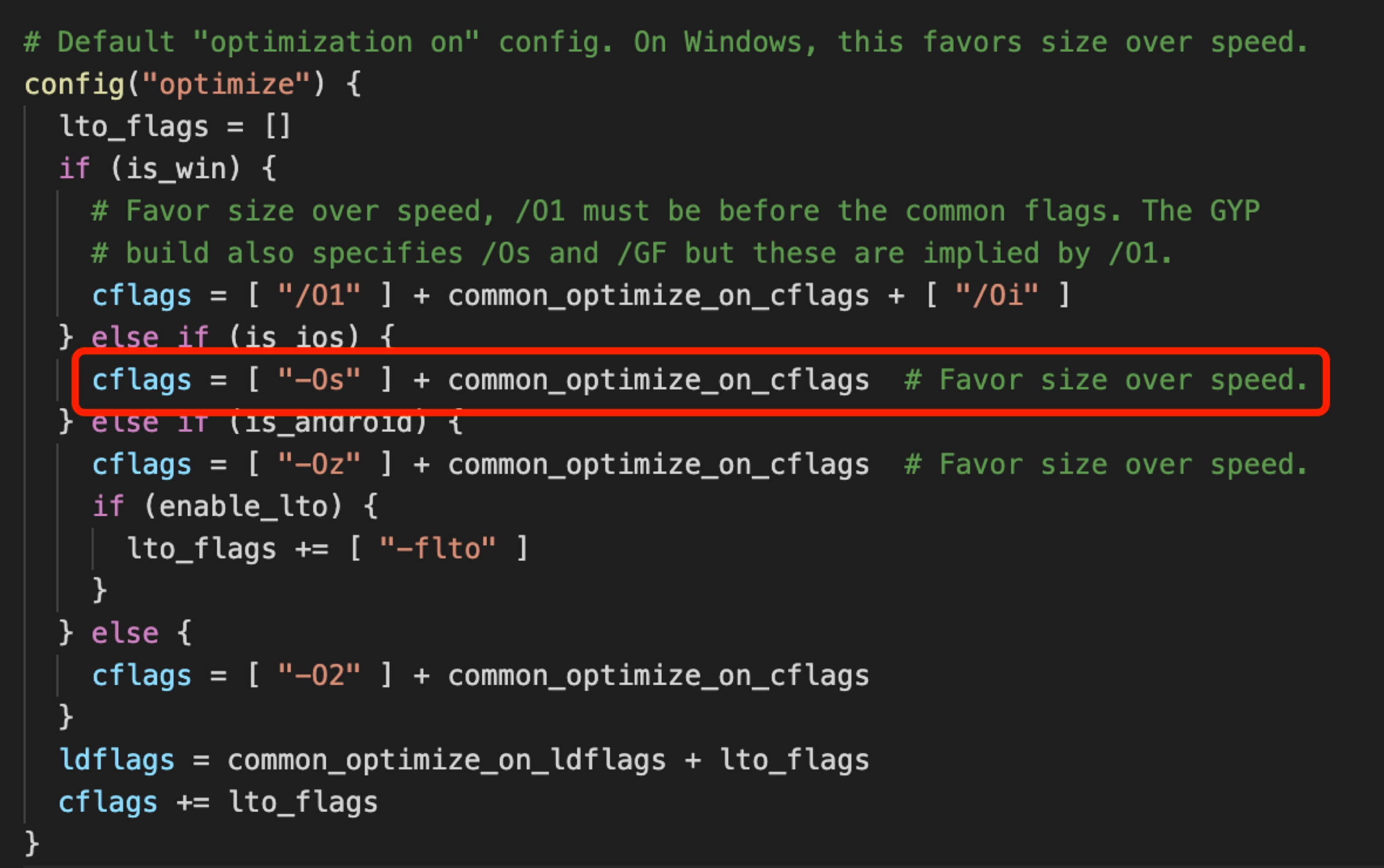
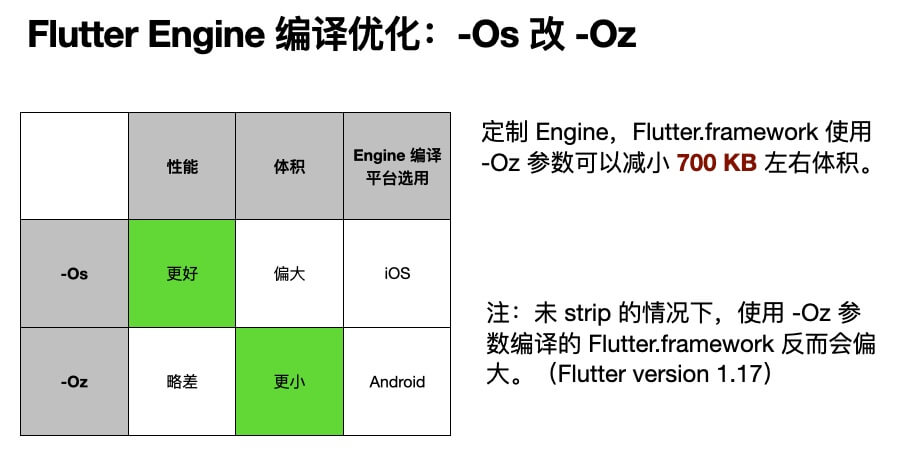
Changing the iOS engine compile flag from -Os to -Oz reduces the binary by around 700 KB.
Engine Trimming
Two components can be trimmed:
- Skia: Removing certain build parameters saves ~200 KB without affecting rendering quality.
- BoringSSL: If you proxy requests through the native networking layer, you don’t need Dart’s
HttpClientmodule. Removing BoringSSL entirely saves ~500 KB — and native-proxied requests actually perform better anyway.
Aside: Flutter issue #40345 discusses another angle — Dart-compiled function overhead. A simple addition function compiles to 36 instructions in Dart vs. 11 in Objective-C. Of those 36, 8 header + 6 footer instructions are alignment padding that can be removed, and 5 are stack overflow checks that can be dropped too — reducing 36 instructions down to 13. This is something Google would need to address upstream.
Building the Custom Engine
Tools involved:
- gclient: Source management tool (originally from Chromium). Fetches all source code and dependencies.
- gn: Generates ninja build files. Needed when targeting multiple OS/architecture combinations.
- ninja: The actual build tool.
See the official wiki: Setting up the Engine development environment
Three steps:
Step 1: Create a .gclient file to pull source and dependencies:
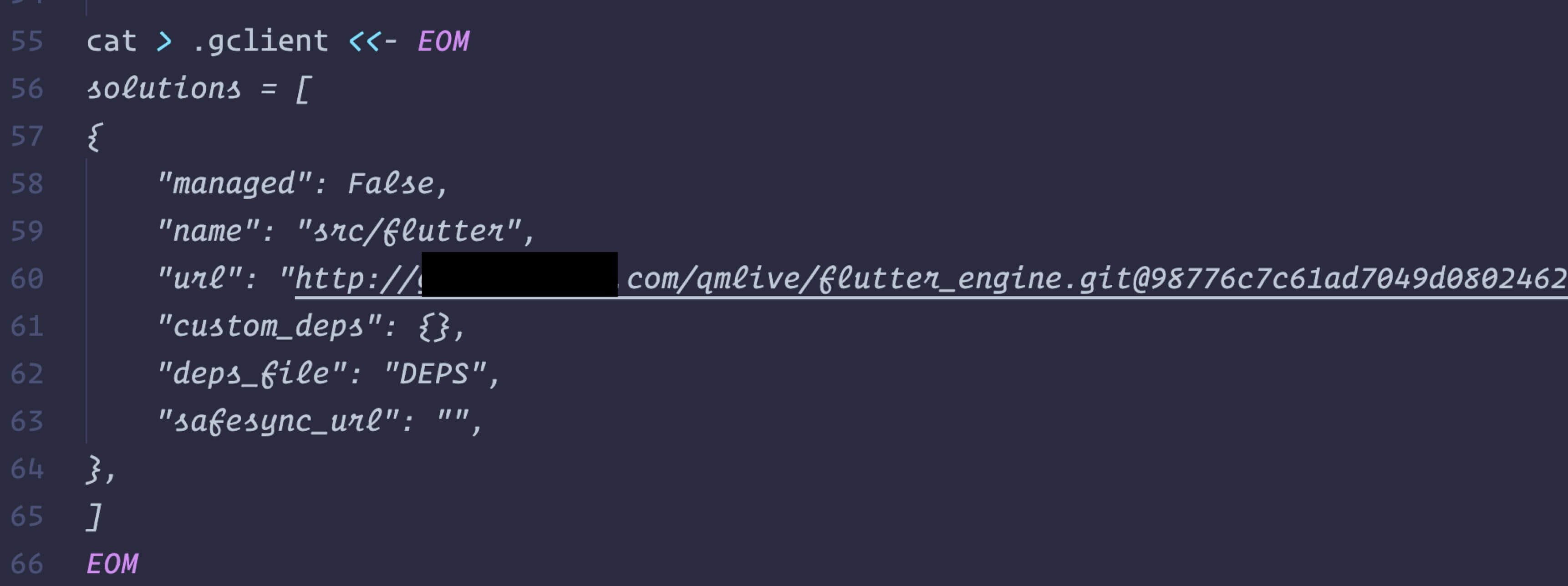
Step 2: Run gclient sync to download dependencies.
Note: The optimizations are applied to dependencies (buildroot, Skia, etc.) rather than the engine source itself. You’ll need to fork the Flutter Engine repository, modify the dependency files, get the commit hashes for your changes, update the DEPS file in your engine fork, push, get the engine commit hash, and put it in the .gclient file.
Step 3: Use gn to generate build configs for each target platform/architecture, then compile with ninja:
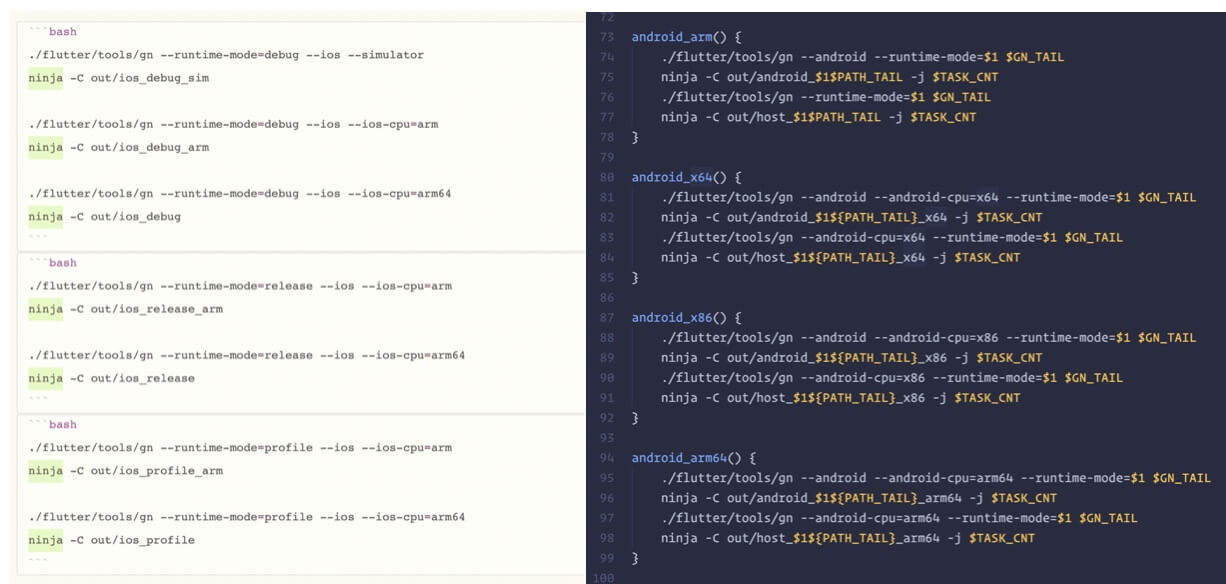
The result is a set of custom engine binaries for different platforms/architectures. Using them is straightforward: replace the engines in your local Flutter SDK.
After all these steps, here’s the final artifact structure:
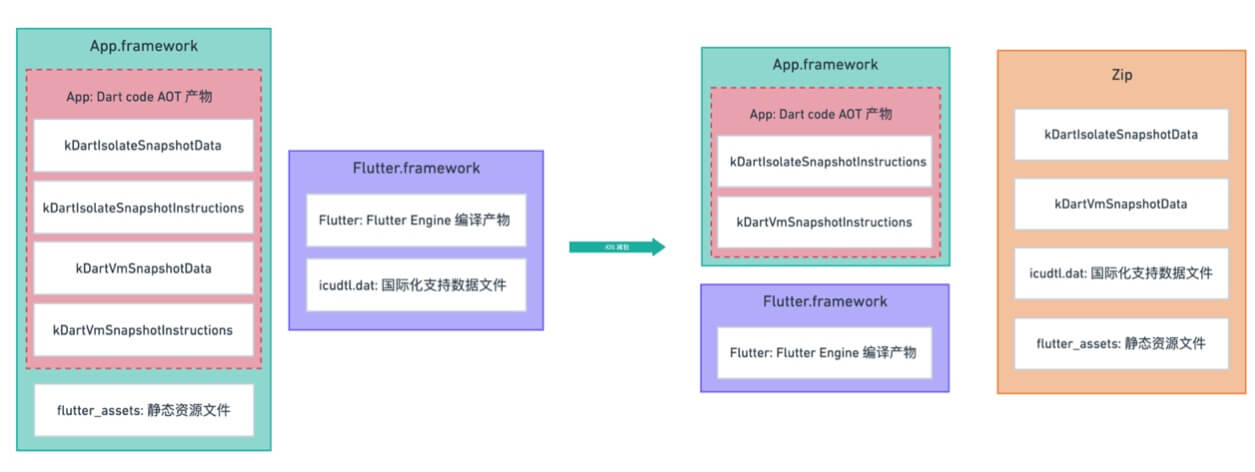
1.3 Results
iOS app size can be measured in several ways:
Local build analysis report — provides two sizes (both unencrypted):
- Download size (compressed)
- Installed size (on-disk)
Since App Store distributes encrypted binaries, you’ll want to check the App Store Connect report, which provides:
- Download Size
- Install Size
Users see the Install Size on the App Store page.
Exception: If you view the App Store in a web browser, it shows Download Size — Apple assumes you care about bandwidth rather than disk space in that context.
Using a blank host project, uploading to App Store, and checking Install Size: the app size dropped from 18.7 MB to 11.8 MB.
2. Android
Android size reduction is simpler because Google Play doesn’t have App Store’s restriction on dynamically delivered executables. You can aggressively move the entire Flutter artifact and deliver it dynamically.
2.1 Artifact Structure
Android Flutter Module build flow in Release mode — same two parts as iOS (Dart source output + Engine):
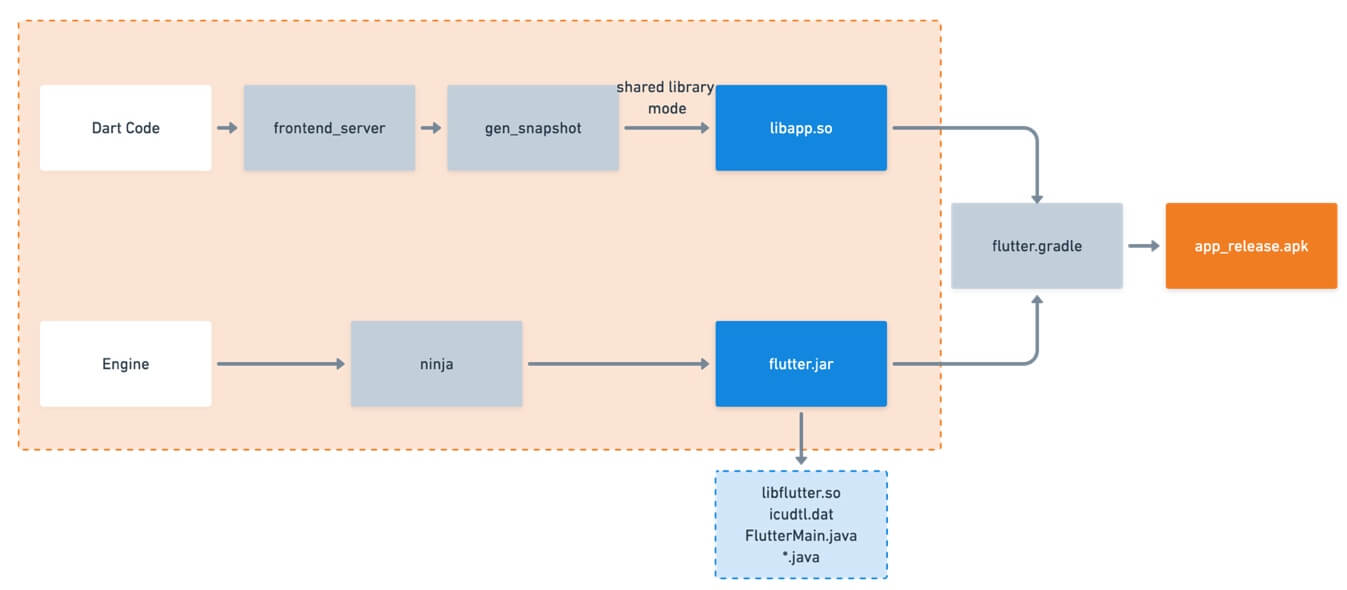
The flutter.gradle output includes:
libapp.soflutter.jar— which containslibflutter.so(engine),icudtl.dat(i18n), and Java interface classes
Key component breakdown:
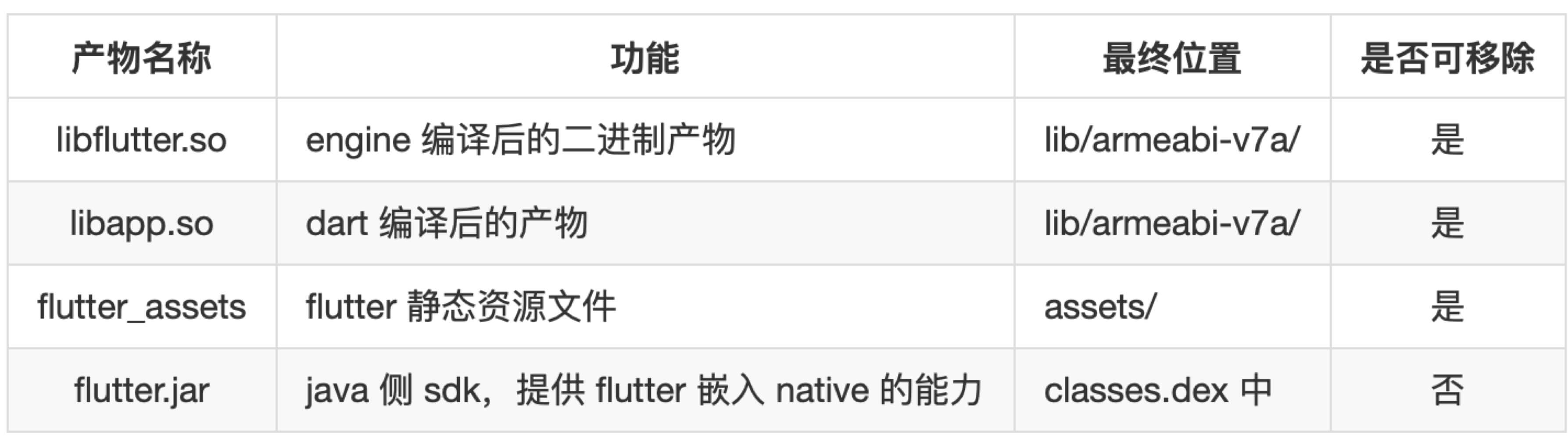
2.2 Size Reduction
On Android, libflutter.so engine trimming is possible but less critical, since all Flutter artifacts can be fully delivered dynamically. The steps:
- Remove
libapp.so,libflutter.so,flutter_assets, etc. and publish them to a CDN/cloud storage. - Customize
FlutterLoader.javainsideflutter.jarto load libraries from a custom path, enabling dynamic loading.
Code implementation details are left out here — the approach is straightforward.
2.3 Results
Using a blank host project, measuring APK size before and after: the 6.2 MB Flutter artifact is completely eliminated.

That covers Flutter size reduction on both platforms. The approach is relatively straightforward — building on techniques shared by others in the community. I strongly recommend reading the two articles listed below for a deeper understanding of the details and reasoning.
References:
