Since last August, Roam Research has been the only note-taking software I use. Through using it I’ve developed a workflow for knowledge management and task management that feels genuinely comfortable, and I’ve used it to produce several articles as well as to manage my day-to-day work. I find that with this approach, both task management and knowledge research have become extremely efficient — and gradually, genuinely interesting.
Unfortunately, after searching around I couldn’t find any high-quality articles explaining how to use Roam Research in Chinese. The barriers to entry are admittedly high in China (web-only, requires VPN, steep subscription price), which has limited its popularity here.
So this post introduces my own scenarios and experience with Roam Research — I hope it offers some inspiration. To be clear from the outset: tools are only tools. What matters is the method and the behavior pattern. Whether or not you end up using Roam Research isn’t the point. The key is how to integrate this approach into your own toolbox. For that reason, although the post is titled “Roam Research Best Practices,” it’s really more about knowledge management and task management methods that happen to use Roam Research as an example — and I’ll mention some alternative tools along the way.
Let’s begin.
1. Knowledge Management
1.1 How New Knowledge Forms: Connecting New to Old
The essence of learning is creating new nodes — or more precisely, creating new connections. Take this sentence as an example:
Flutter is a high-performance cross-platform front-end framework because it provides a self-rendering engine that smooths out cross-platform differences, and a high-performance Channel for cross-platform communication.
If you’re not a front-end developer, have no knowledge of Flutter, don’t understand self-rendering engines, aren’t clear on cross-platform development, don’t know what Channel is, don’t know the implicit comparison technology in the sentence, and don’t even know what metric defines “high-performance” — then this sentence means nothing to you. You can read every word yet it forms no new knowledge.
The core of learning, then, is finding and building the connection between new nodes and existing knowledge. This is also the key insight of the Feynman technique: being able to describe new knowledge using your own existing knowledge base is what it means to truly understand it. If your existing framework can’t fully explain new knowledge, you need to adjust the framework — and that’s what learning and growth actually is.
1.2 Hooks Between Knowledge: Tags
One easy way to connect new and old knowledge is to give both a common “third element” — a tag. Almost every note-taking app has this basic capability. Tags both file knowledge and create indirect relationships between everything under a given tag.
Tags also break the traditional hierarchical tree structure of file directories. Knowledge is naturally networked, not tree-shaped — where things are either one thing or another.
Roam Research is highly abstract and flexible. It has only two concepts: Page and Block. A Page can be part of another Page’s Blocks, and any Block can be turned into a Page at any time. They can cross-reference each other freely — extremely flexible.
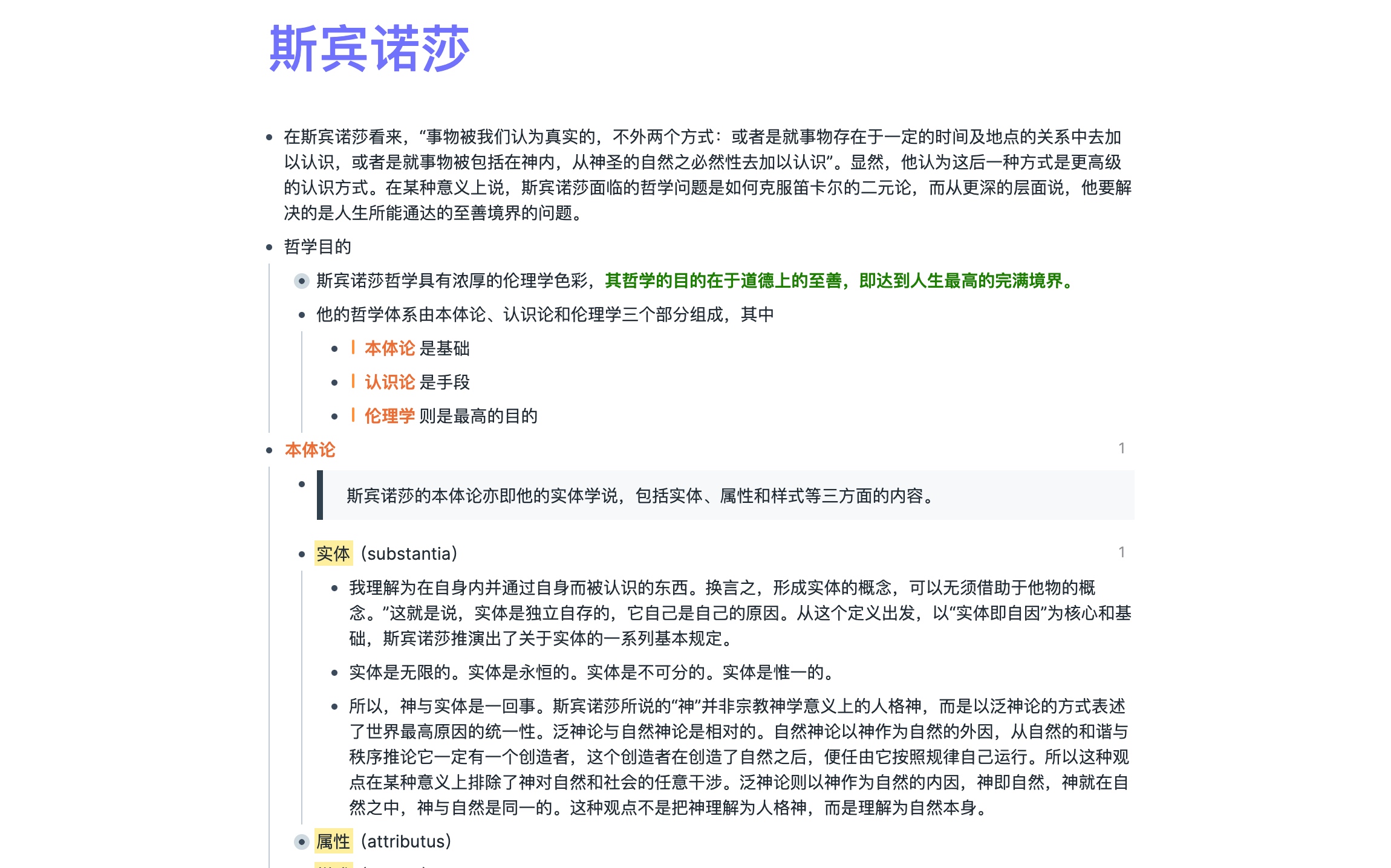
As shown above, the Page is the entire “Spinoza” page, and everything inside (preceded by a bullet) is a Block.
This flexibility means there’s no pressure in using it — but it can also be confusing. Tags, for example, aren’t a separate feature. But anything — any Page or Block — becomes a tag when you prefix it with #. You can build a Page called “Tags” and gather all your tags there. This also fits a natural intuition: tags are themselves a kind of knowledge.
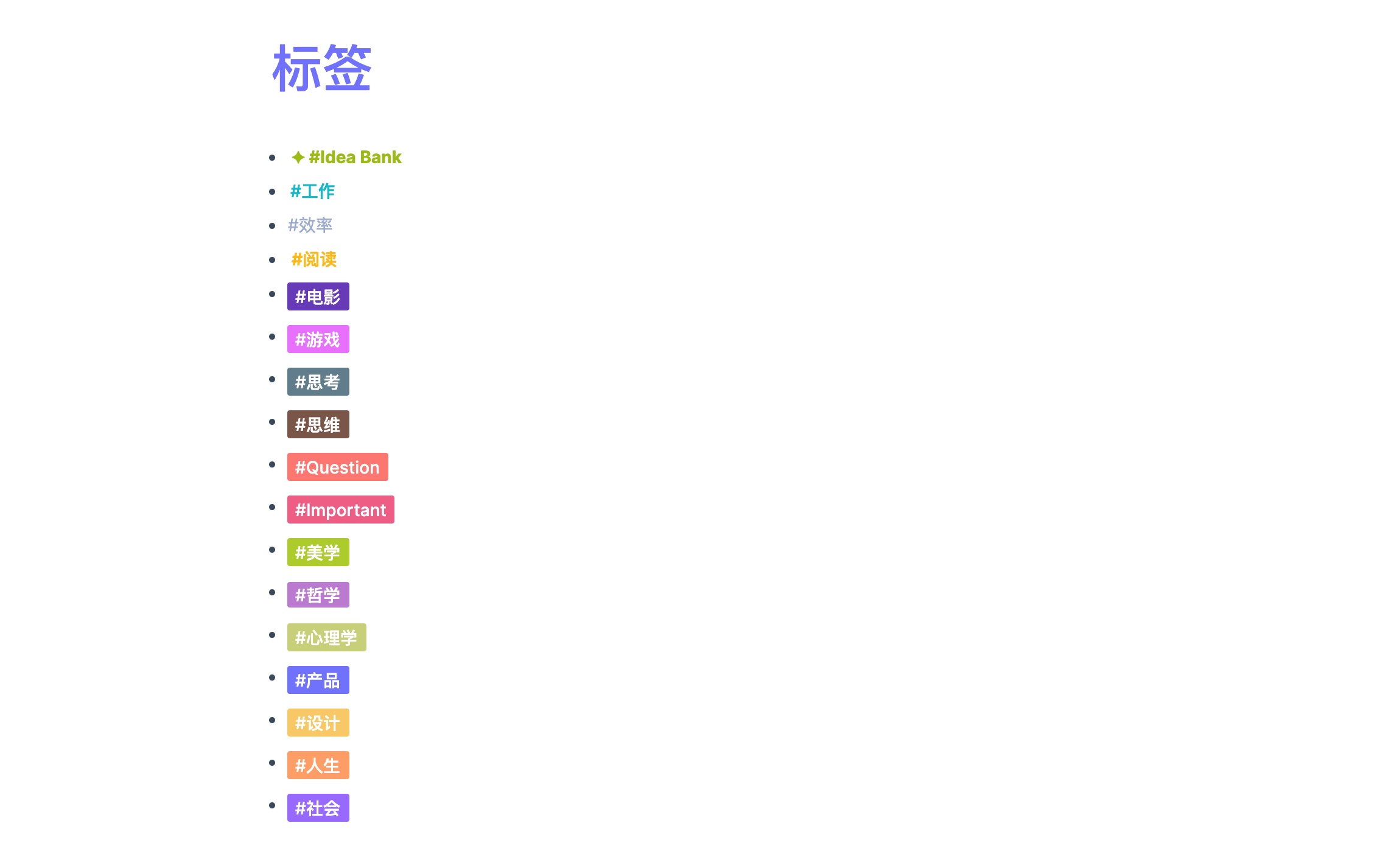
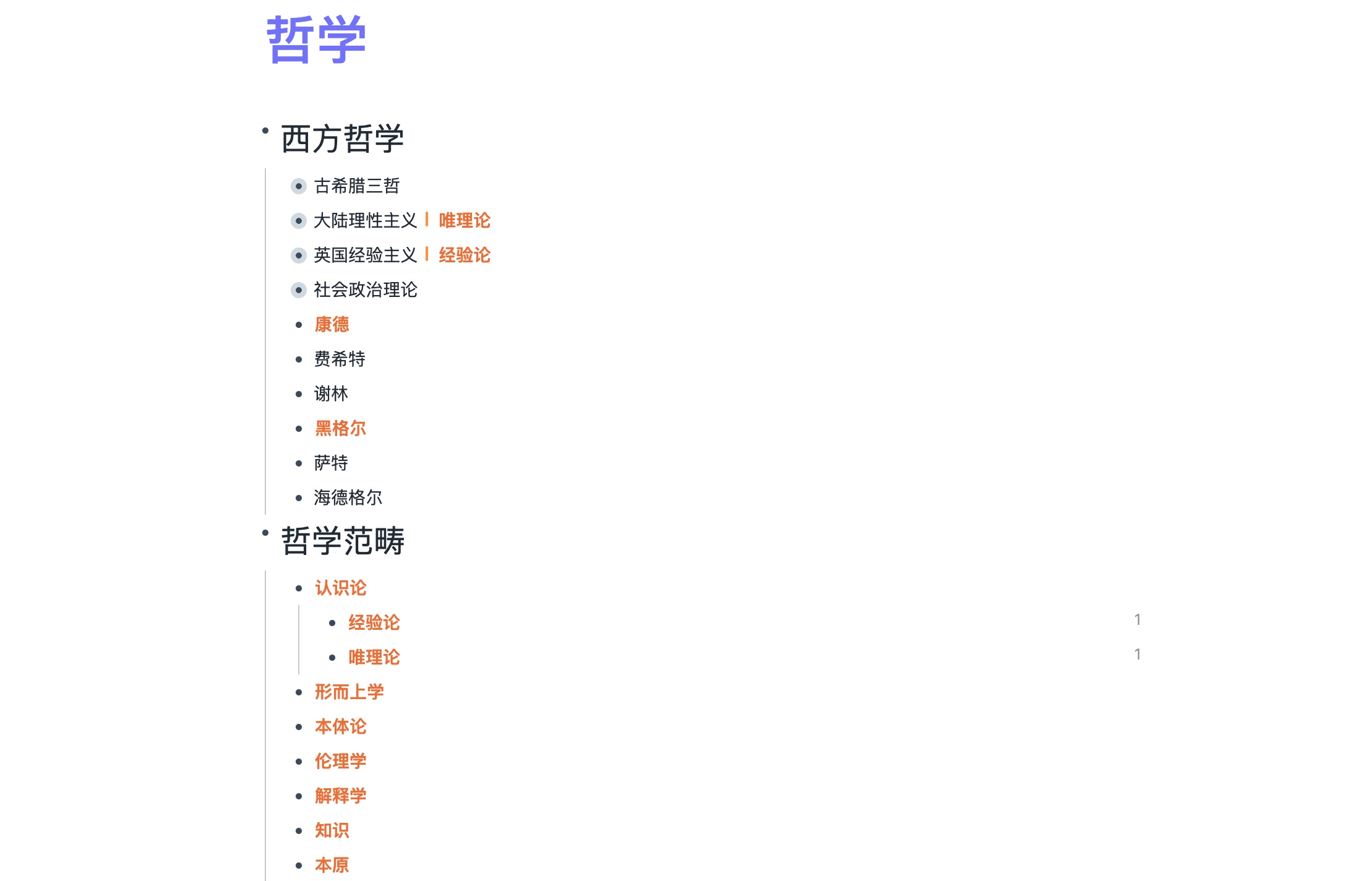
Above are the tags I currently use. Clicking into the “Philosophy” Page reveals many nested pages organized under it in some structure. “Empiricism” and “Rationalism” have special markers because they’ve been referenced — more on that in the “Knowledge Output” section below.
1.3 How to Take Reading Notes
Nothing I’ve covered so far has shown Roam Research’s advantages specifically — and the topic of “how to take reading notes” that follows is also universal, not really tied to Roam Research. The method works with any tool (though Roam does make some things more convenient).
Back to the topic. How to take reading notes is an enduring question. Many people just follow the book’s chapter structure: Chapter 1 covered X, and even copy sentences verbatim. That isn’t wrong per se, but for the purpose of “learning” it’s less efficient — because those notes capture the author’s thoughts, and what you learn is only what the author chose to show you. Whether you truly understand it, whether it can be integrated into your knowledge framework, both remain in question. If not, the learning goal hasn’t been met.
First, read with questions. What do I already know? What don’t I know? What do I want to know? Reading with questions is more efficient: question-driven reading puts you in an active state, making you more sensitive to the information you encounter. Without questions, there’s no distinction between foreground and background, and it becomes hard to remember anything.
For example, Story is a thick book considered the screenwriter’s bible. I’ll read through it once, then if I want to study “character arc,” I’ll go back with that specific goal in mind.
Or with Effective Objective-C — I’ll read it alongside my current project, reflecting as I go on whether my code has weaknesses that the book addresses.
Second, process the information you receive. Ideally don’t copy the original text verbatim — notes should distill and condense knowledge. Only processed information can be integrated into your own knowledge system and become knowledge you actually command. Repeated processing and distillation is also what the Cornell Note-taking method emphasizes.
Finally, use the knowledge. After learning something new, it becomes old. When you encounter new knowledge next time, bring the old knowledge out to process with the new — and so on, continuously reinforcing understanding, restructuring and expanding your knowledge framework, making it richer.
For instance, if I want to understand “epistemology,” I can read philosophy books with that question, list the key questions, then answer them myself.
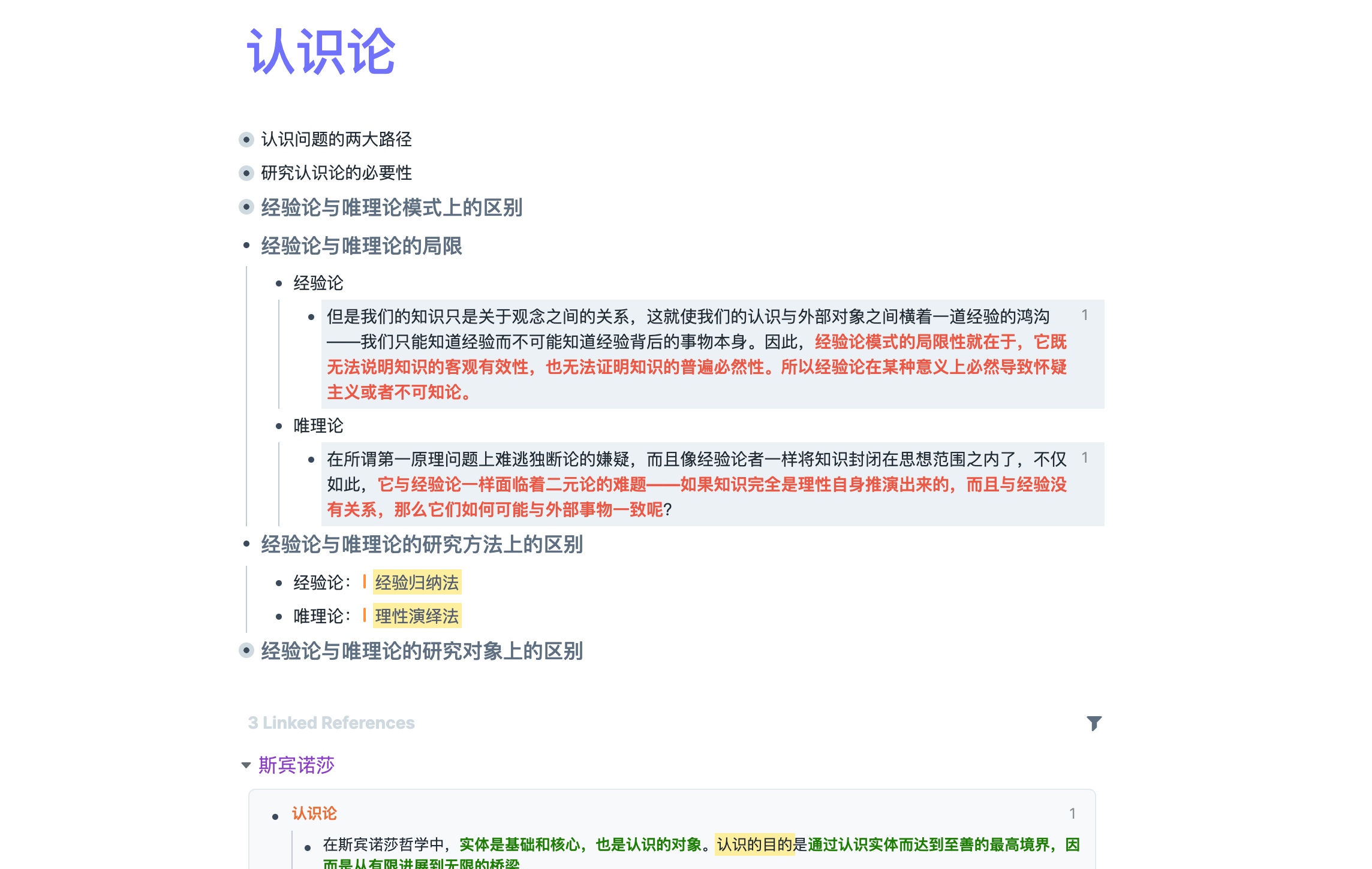
In the process of answering, I expand into “empiricism” and “rationalism,” and some of the answers to “epistemology” questions reference those concepts — allowing me to embed them directly into the answer. This forms a simple knowledge network.
At the bottom you’ll see Roam Research has automatically linked content from “Spinoza” — this is Roam’s auto-linking. It helps with research and knowledge output, which we’ll detail in the knowledge output section when we discuss Roam’s core feature: bidirectional linking.
First, let’s look at annotation conventions.
1.4 Annotation Conventions
Roam Research natively supports Markdown and allows custom CSS and JavaScript plugins.
A quick overview of how I use Markdown elements:
- H1: Article title or knowledge card title
- H2: Standalone as a Block, must be a noun or noun phrase — easy to reference. If a concept is sufficiently granular, it should also be its own Block.
- Bold: Key content within a paragraph — I use green bold.
- Highlight: Used sparingly, for key concepts.
- Italic: Since I don’t use italic for its intended purpose, I’ve restyled it to red — for marking questions.
- TODO: Notes for content to be added later.
Roam supports templates. I’ve created a separate Block for Tags and Source, making it easy to link and trace origins. Below is a note created from a template with some content filled in:
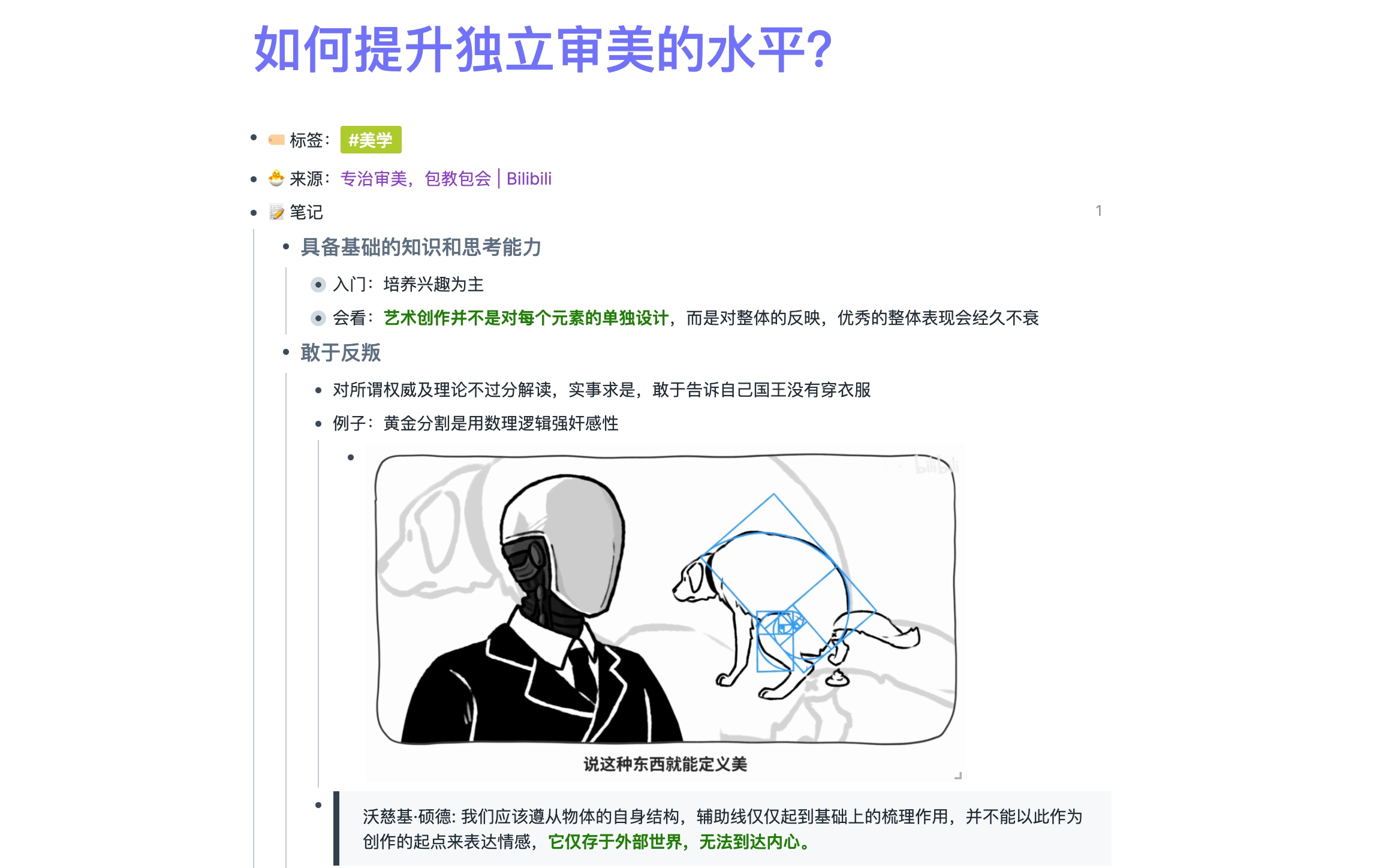
Roam also has a Daily section that auto-creates a daily note. I use it to jot down miscellaneous thoughts directly, then organize later. Below is one of my daily temp notes — items needing organization are marked with TODO for later task management (more on that in the task management section).

1.5 Knowledge Output
All our study notes ultimately aim at output. Output doesn’t have to mean a finished article — periodic insights or knowledge you’ve internalized in a unique way count too. This is where Roam’s auto block-level bidirectional linking becomes crucial.
In section 1.1 I said learning is fundamentally about building connections between new and old knowledge. This goes back to how neurons work:
- Sequential activation creates connection: If A exists first, then B, and you say A then B in your mind, A and B become connected.
- Bidirectional activation strengthens connection: Going back and saying B then A strengthens the connection by recognizing that A and B appear together.
- Third-party interference weakens the original connection but expands the network, broadening your cognitive view.
Whenever you use a reference in Roam Research, it automatically creates a bidirectional link. As these links accumulate, you can discover hidden relationships between knowledge.
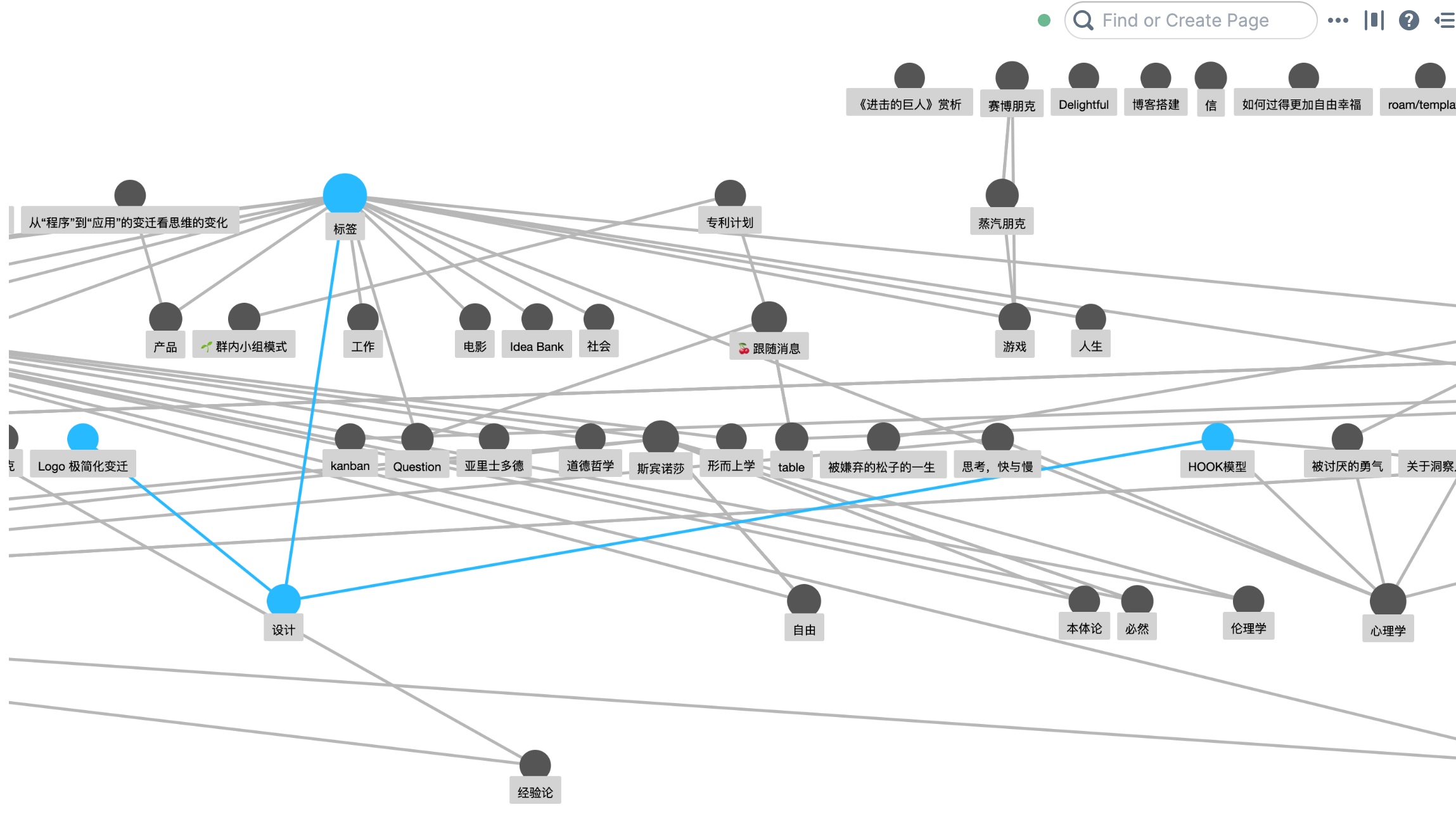
As shown below — a local view of my note graph. When I click “Design,” related Pages highlight. I can see that “Hook Model” and “Psychology” are also connected — and when I want to dig deeper into the interdisciplinary area of “design psychology,” discovering these hidden links becomes very valuable.
To dive deep into a topic, just create a Page for it. For example, creating a “Kant” Page causes Roam to automatically surface all strong and weak links related to “Kant,” pinpointing exactly where this new knowledge sits in your framework.
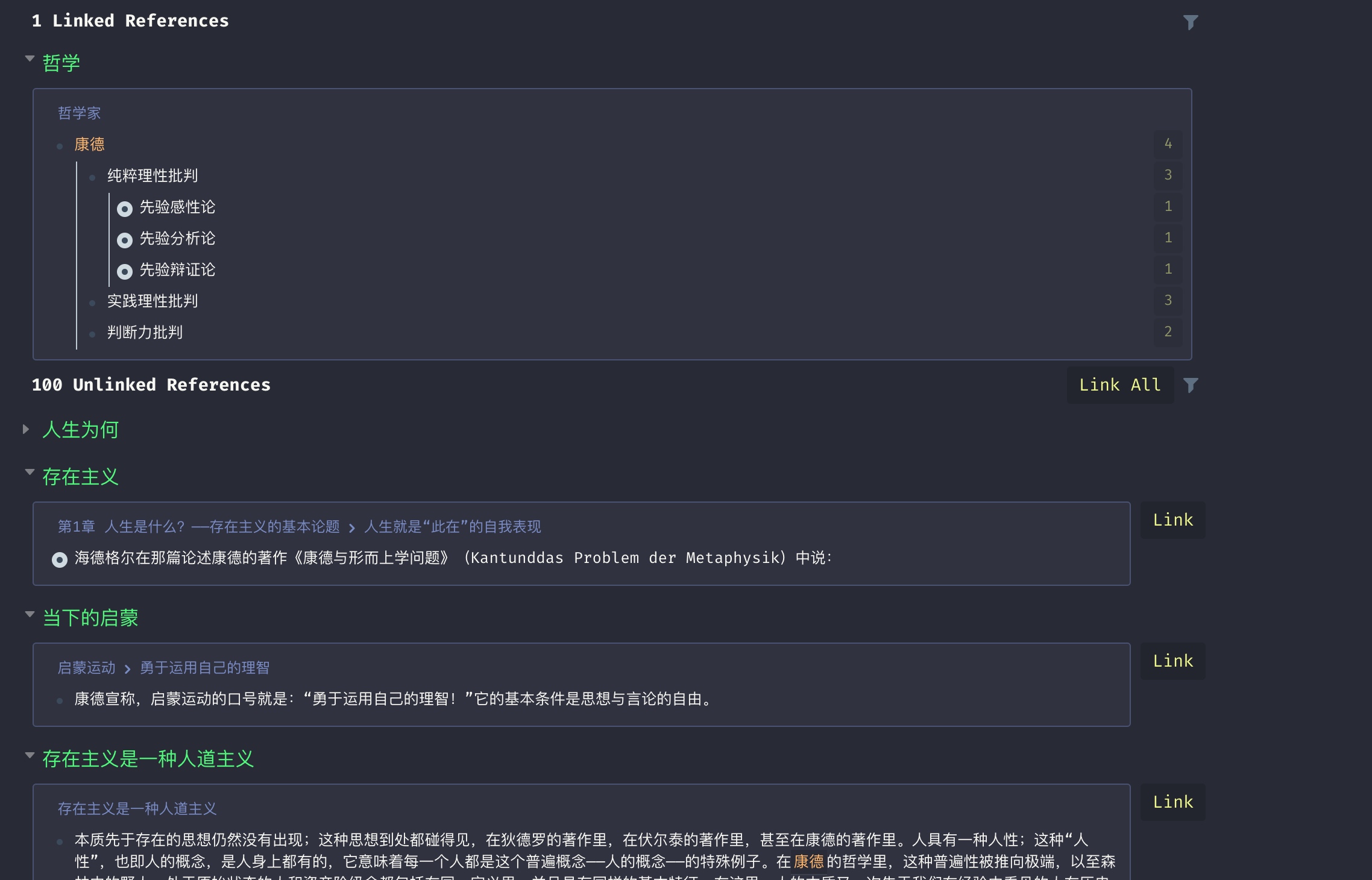
As shown, Roam surfaces books I’ve read (Existentialism, Existentialism Is a Humanism, The Enlightenment Now), an essay I wrote (Why Live), and annotations I’ve added — linking all of them to “Kant.” Clicking the reference count beside a strong link reveals the original text:
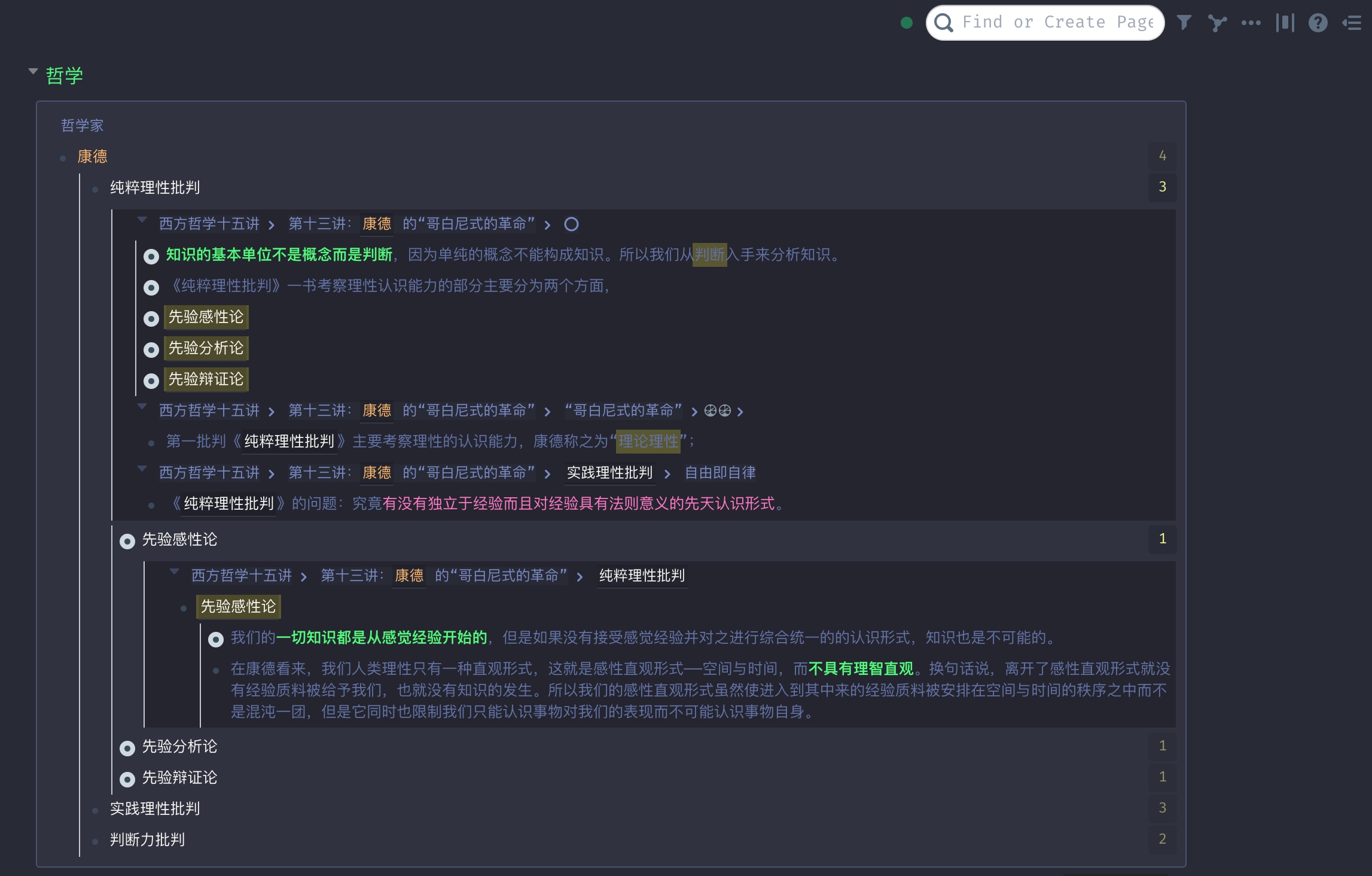
Without any extra work, Roam has generated a “Kant” entry from my existing knowledge. From there, I synthesize and refine, recording in the Page to expand my understanding of “Kant.” As learning continues over time, new insights can be added — maintaining the Page long-term, deepening the knowledge’s breadth and depth.
2. Task Management
In this chapter, let’s look at how to do task management in Roam Research. Task management isn’t Roam’s primary strength — but its flexibility makes it capable of this too.
2.1 Daily Tasks and Review
As mentioned, Roam’s Daily view auto-creates a daily note. You can also mark any TODO Block with a date so it appears on that date’s daily note — letting you see past plans for any given day right there.
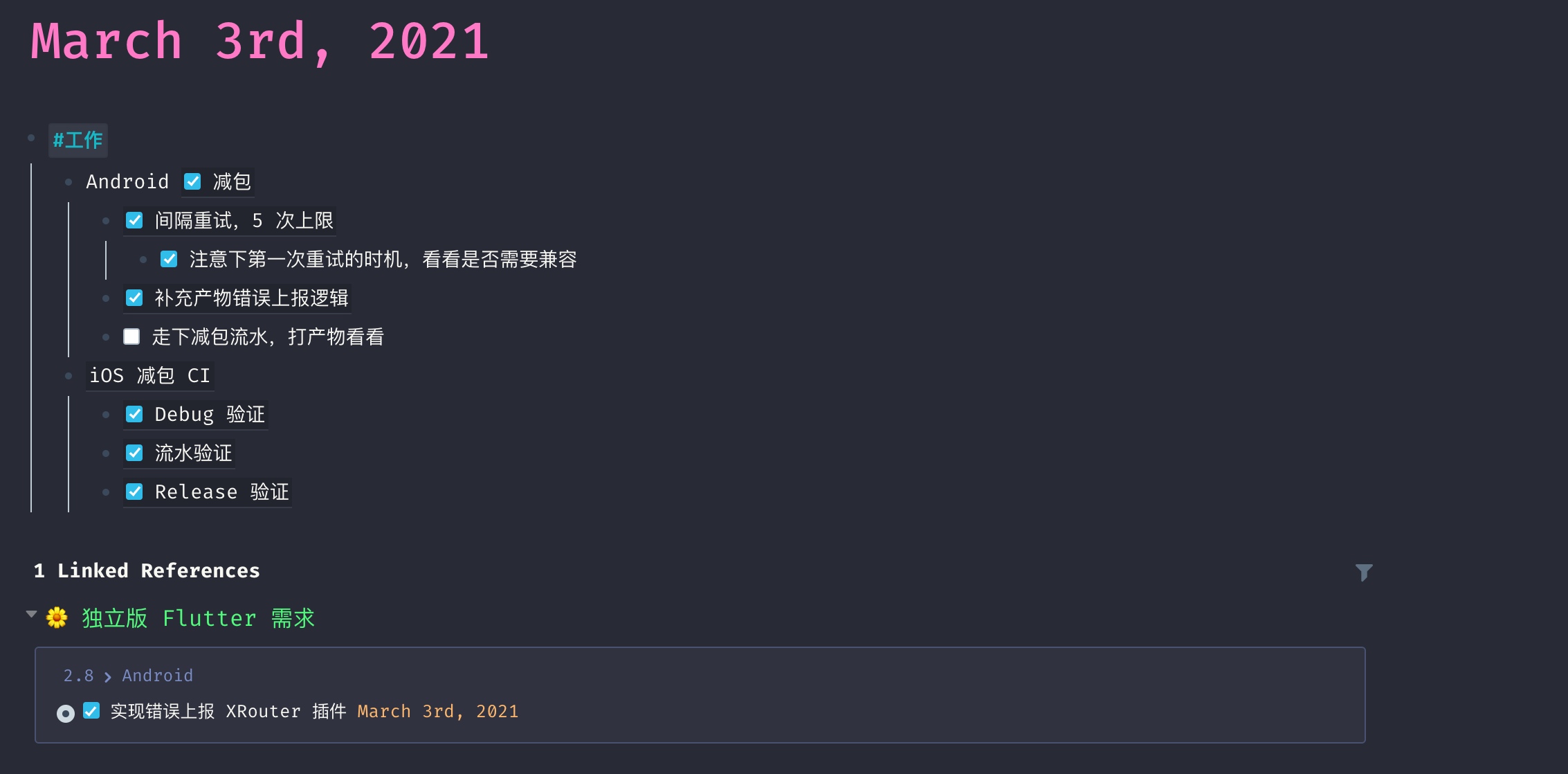
Daily tasks can be referenced directly from project pages, so you can manage projects by schedule without fragmenting the project’s overall flow.
Under each task you can record the implementation approach and any problems encountered — so that the accumulated Daily content becomes a direct source for review.

2.2 Filtering Tasks
Roam also provides a Query scripting feature. For example, you can write a Query to filter out all unresolved issues in a project repository.
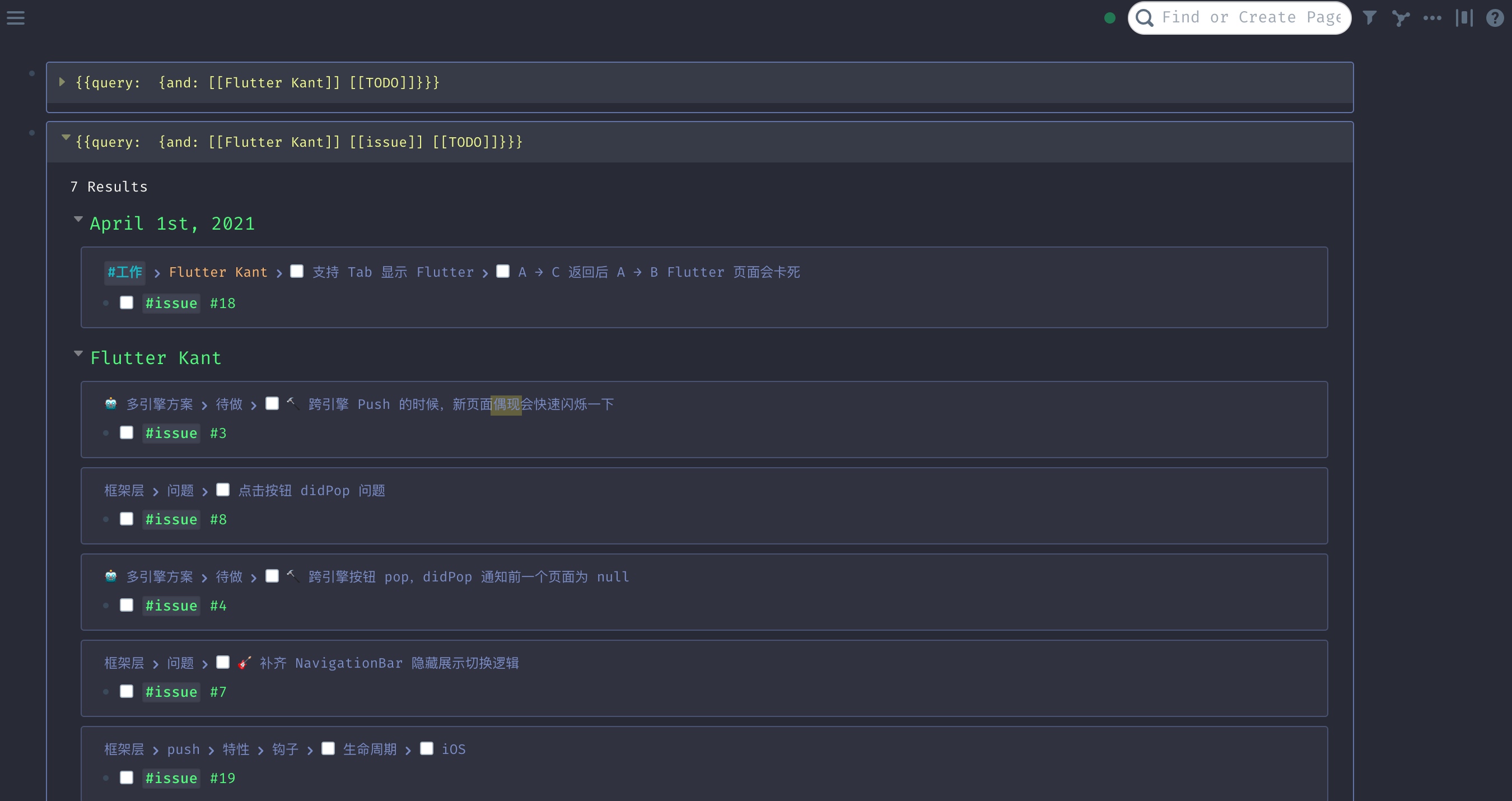
For project tasks, use templates to align tasks with the project’s code repository issues.
2.3 Long-Term Planning
For long-term plans, create a dedicated Page. For instance, my “Reading” Page tracks books I’ve read — clicking any book takes me to its notes.
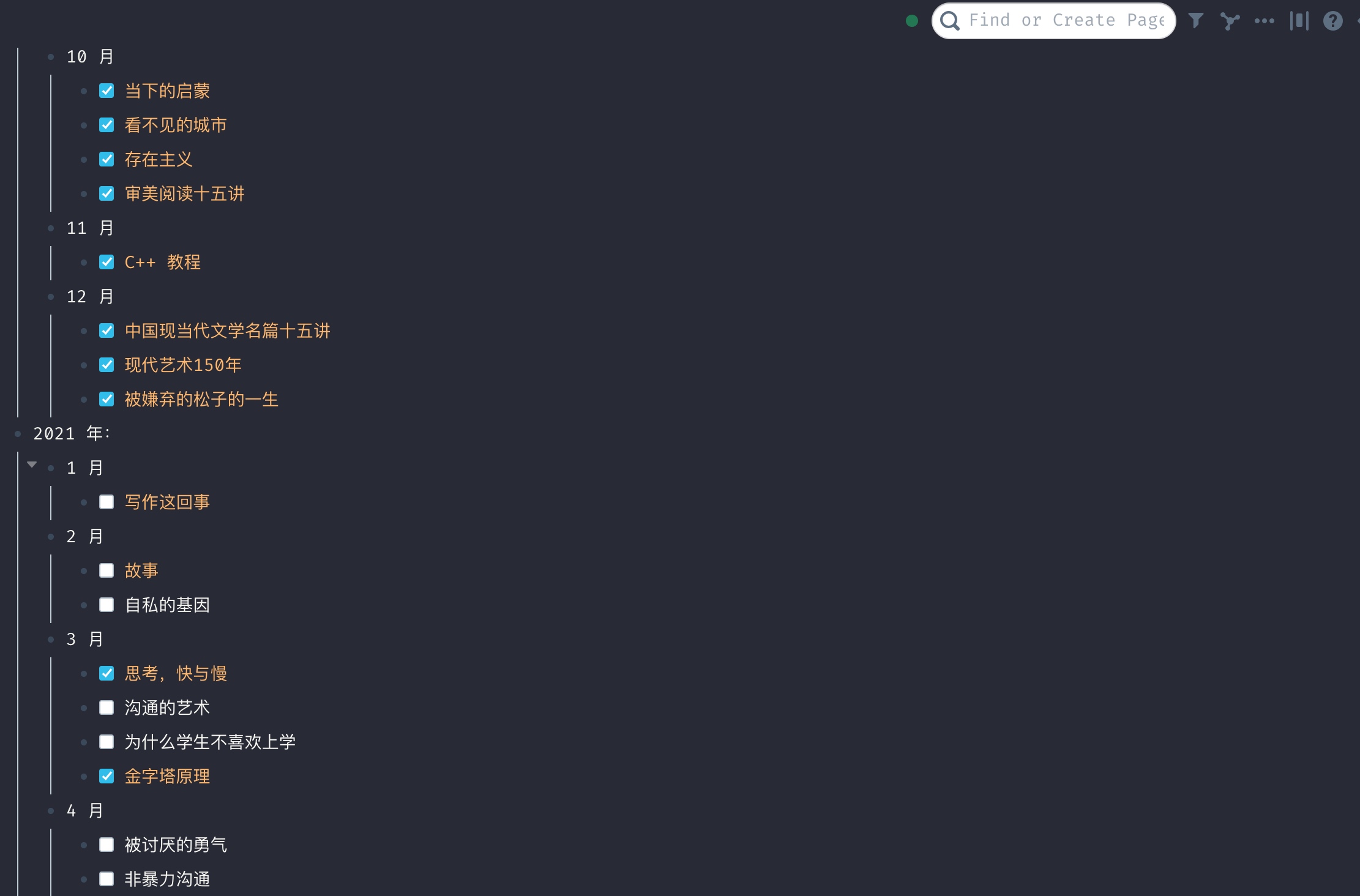
2.4 Alternatives
The core of task management is the “task → plan → review” loop. There are many alternatives that support this flow. One worth recommending is NotePlan 3 — it also has daily notes and project pages, achieving the same daily schedule-based project management.

Of course, OmniFocus, iOS Reminders, or even pen and paper can all enable efficient task management if the approach is right.
For knowledge management, if Roam Research isn’t accessible, Obsidian, Notion, and Craft are all solid free alternatives. Finally — tools are only tools. I hope the reading method and knowledge-linking approach in this post offer some help for your own knowledge management practice.
