Perception Checking in the Art of Communication
I came across an article this week that summarized key ideas from Looking Out, Looking In. This issue focuses on what the book calls “perception.”
Different people assign different meanings to the world around them. The capacity humans have to make meaning of their environment is called “perception.” Because every person’s perceptual process is different, the same event gets interpreted differently by different people — which means we often fail to understand each other. This is the source of all the noise that makes human communication so difficult.
The article describes perception as a four-stage process: Selection → Organization → Interpretation → Negotiation. This is very similar to the “ladder of inference” I wrote about in a previous post, How to Communicate Effectively, so I won’t go over it again here.
Let me instead look at the “communication model” introduced in Looking Out, Looking In:
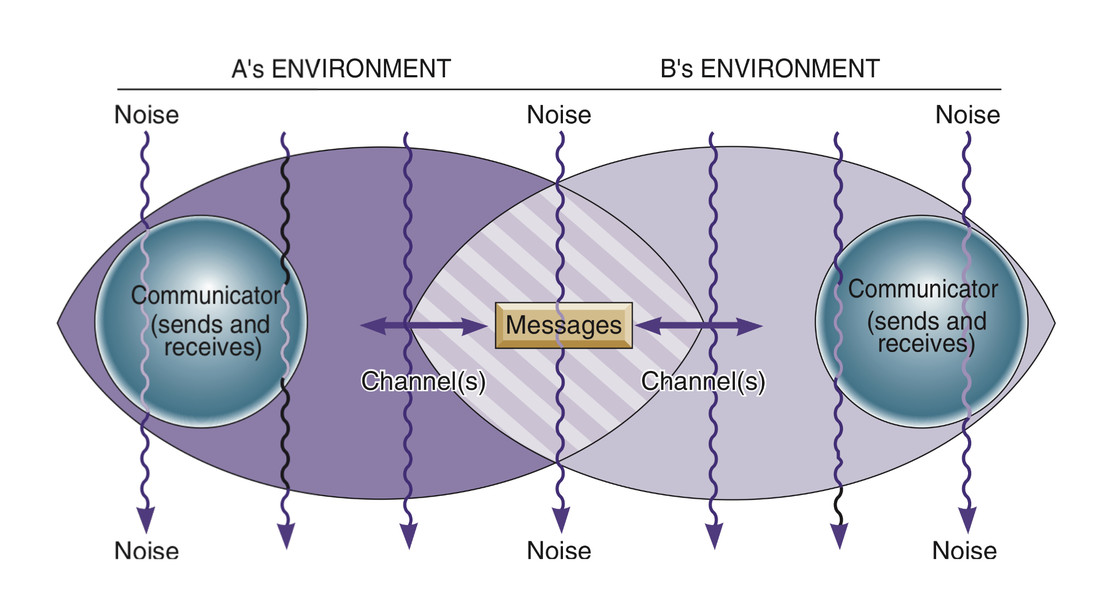
- Senders and receivers operate from overlapping but distinct backgrounds. The non-overlapping parts are what create “communication gaps” — the unique context each person brings, shaped by cultural background, family background, education, and other factors.
- Communication is bidirectional — there’s no such thing as a pure sender or pure receiver. Even just listening involves active thought, a nod, a slight frown, or other body language that sends signals back.
- Noise is everywhere in the model. Not only do the participants’ different backgrounds introduce noise, but the channel itself, and the encoding/decoding process, introduce noise too — tone, pacing, and word choice all create gaps in understanding. And beyond all of that, each communicator’s internal perception differences generate noise of their own.
“Perception checking,” then, is the practice of reducing the noise caused by perceptual differences — developing empathy and getting as close as possible to understanding what the other person actually means.
In my earlier post How to Communicate Effectively, I introduced the concept of fixed standpoints. Perception checking is the practice of examining all possible standpoints — thinking from multiple perspectives in order to accurately understand what the other person is trying to express. All standpoints can be grouped into five types:
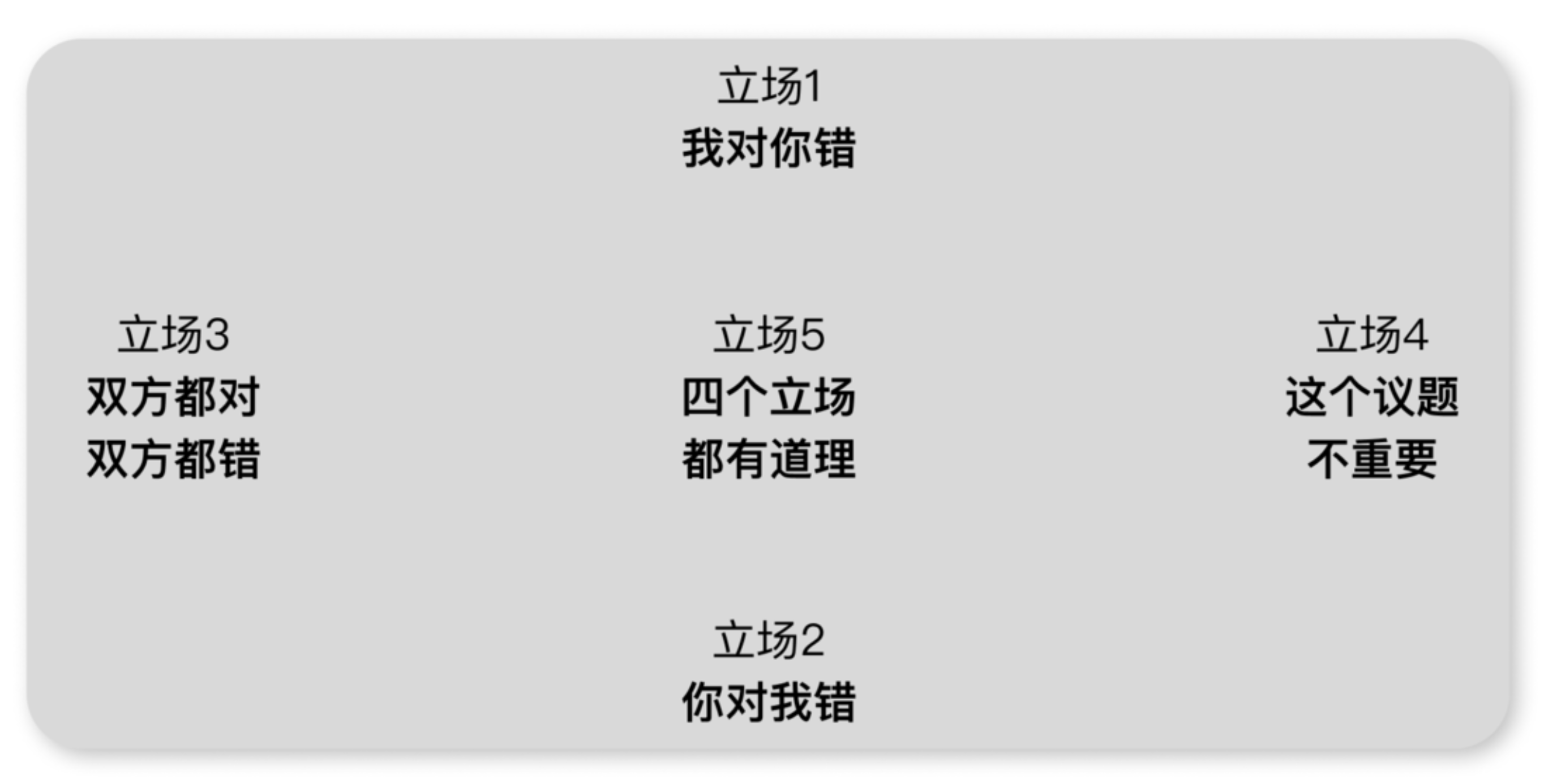 The article also outlines the steps for perception checking:
- Describe the behavior you’ve noticed in the other person.
- List at least two different interpretations of that behavior.
- Ask the person to clarify which interpretation, if any, is accurate.
It’s important to note that the goal of perception checking is to accurately understand the other person. This is different from the “four components of nonviolent communication” in Nonviolent Communication (observation, feelings, needs, requests), whose goal is to help the other person understand you. Communication is bidirectional, and Looking Out, Looking In fills in the half that Nonviolent Communication leaves out.
Perception checking also helps minimize the noise that emotions introduce into communication.
In Awakening (认知觉醒), the author describes the human “triune brain”: the rational brain, the emotional brain, and the instinctual brain.
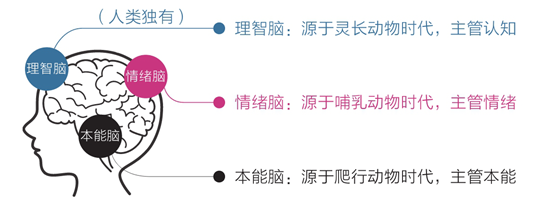
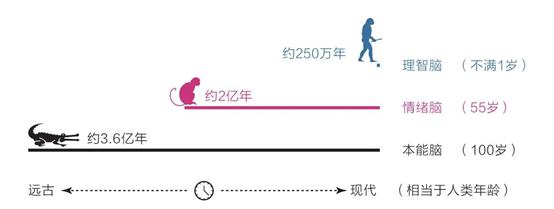
All emotions are essentially motivators for action — the brain’s on-the-spot plans for handling various situations, shaped by evolution. — Emotional Intelligence
The instinctual and emotional brains process information at extraordinary speeds — at least 11,000,000 operations per second — while the rational brain maxes out at around 40 per second. This means the rational brain has very weak control over our overall behavior. In everyday life, most of our decisions are driven by instinct and emotion, not reason — which is why communication is so easily hijacked by feelings.
A person who can master their emotions is greater than a general who can conquer a city. — Napoleon
Put simply: our emotions are more often the result of the meanings we assign to things than the result of the things themselves. Different interpretations of the same event produce different feelings — different emotional responses.
Making perception checking a regular habit helps you see yourself more clearly. It also makes you realize that communication is not just a conversational technique — it’s a way of thinking. It’s less about what’s said on the surface and more about excavating the emotions and expectations hidden beneath both sides’ words. When we focus on mutual observation, feelings, and needs rather than reflexively defending our position, we find tenderness within ourselves and arrive at new understandings of both ourselves and others.
This is nonviolent communication. This is the art of communication.
Further reading:
- The Art of Communication: The Course School Missed, and It’s Not Too Late to Learn It — sspai
- The Art of Communication: Understanding Others, Managing Emotions, Expressing Yourself — sspai
- How to Communicate Effectively — Starting from the “Standpoint Problem” in Zhuangzi — Airing’s Blog
- Nonviolent Communication
Weekly Picks
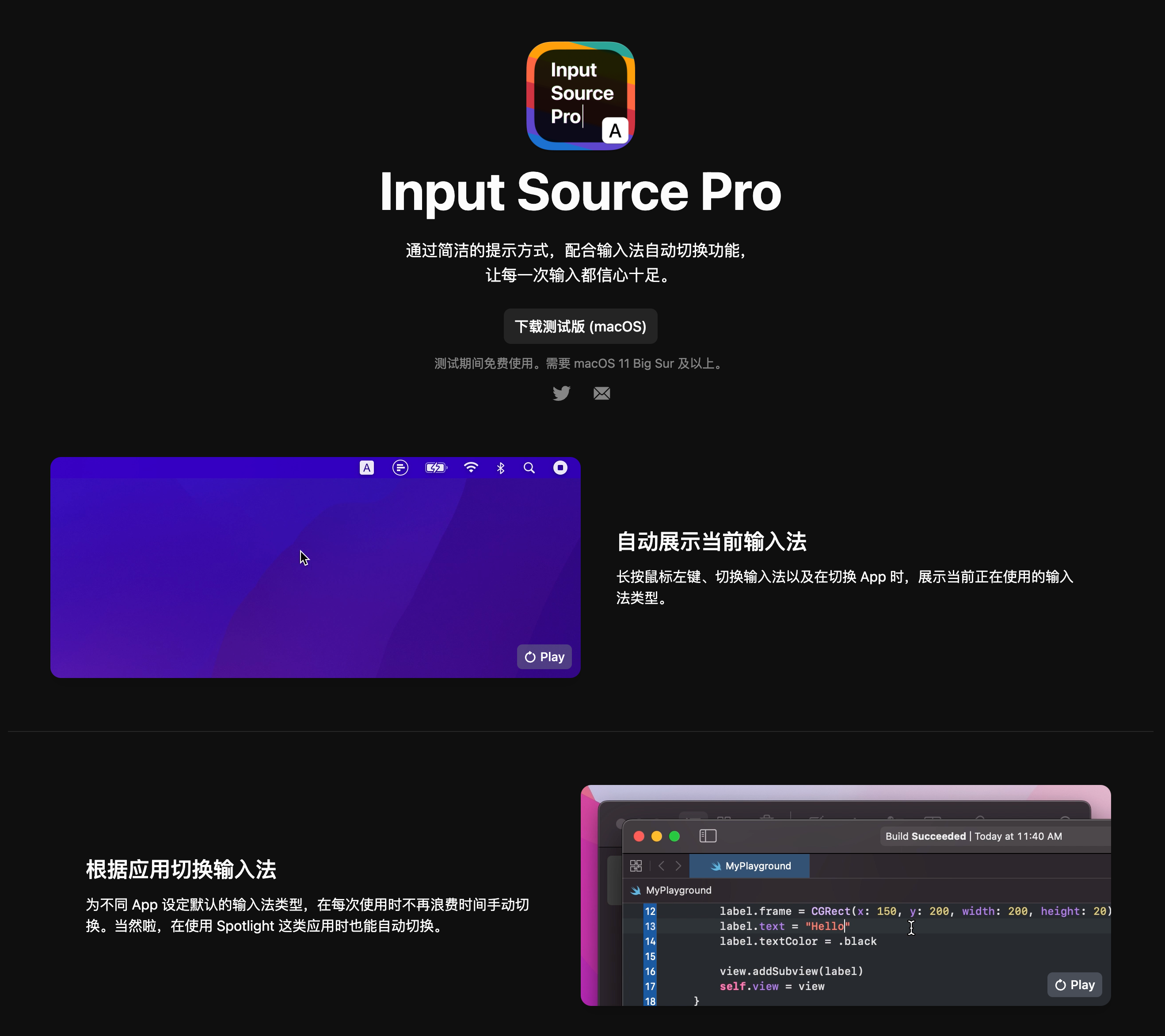
Optimize Your Input Method: Input Source Pro
Input Source Pro automatically switches your input method based on the active app or website, and displays a small notification showing the current input method whenever you switch windows. For example, you can set VSCode, iTerm, and Xcode to default to English, while your notes app and work chat default to Chinese — so you never have to press Shift to switch again. (I’ve recommended this to teammates and they’ve all loved it. Genuinely essential for developers.)
Progressive Vocabulary Learning Plugin
Relingo is a free Chrome extension that automatically highlights unfamiliar words on any webpage. Based on how well you know each word, you can add it to your vocabulary list with one click — learning English progressively through your everyday browsing.

Screenshot Tools
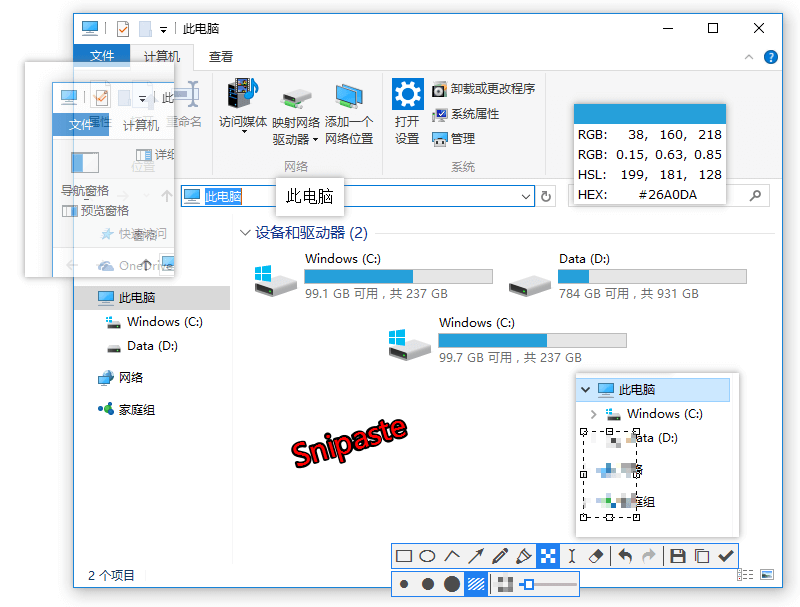
Snipaste is the free screenshot tool I’ve used for years, available on both Windows and macOS. My favorite feature: you can pin screenshots directly to your desktop like sticky notes — great for keeping reference images, key information, code comparisons, or QR codes visible while you work.
 Shottr is a newer macOS screenshot app with a strong feature set, beautiful design, and no price tag. Compared to Snipaste, it adds scrolling capture, window capture, and OCR — but it’s missing the desktop pinning feature I love most, and when annotating screenshots I find Snipaste more intuitive.

- Further reading: macOS Free Lightweight Screenshot Tool Shottr — Scrolling Capture, Pixel Measurement, Color Picker, OCR — sspai
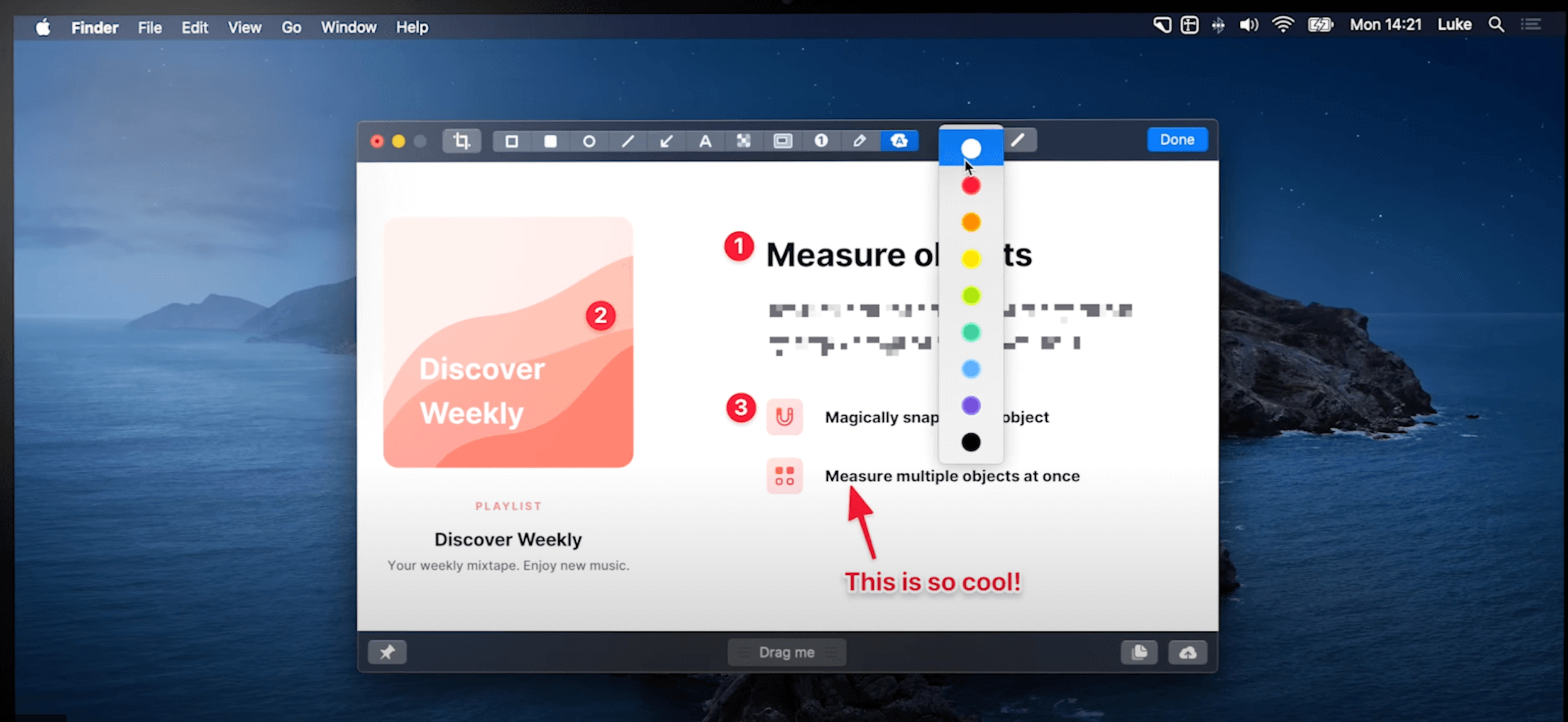
CleanShot X is the veteran powerhouse of macOS screenshot tools. It covers everything the other two do, plus video recording, GIF recording, cloud image upload, sequential annotation, and a beautiful UI. Its “all in one” mode is uniquely elegant, and its Raycast integration is excellent. The only downside: it costs money (618 sale price: ¥104/device).
This Week’s Log
Recent Viewings
- Finished: Novel | Red Finger | ★★★★
- Reading: Philosophy | At the Existentialist Café: Freedom, Being, and Apricot Cocktails
- Watching: Anime | Summer Time Rendering
- Watching: Anime | Spy × Family
- Finished: Film | Léon: The Professional | ★★★★
- Played: Game | Genshin Impact 2.7 Story Quest | ★★★★
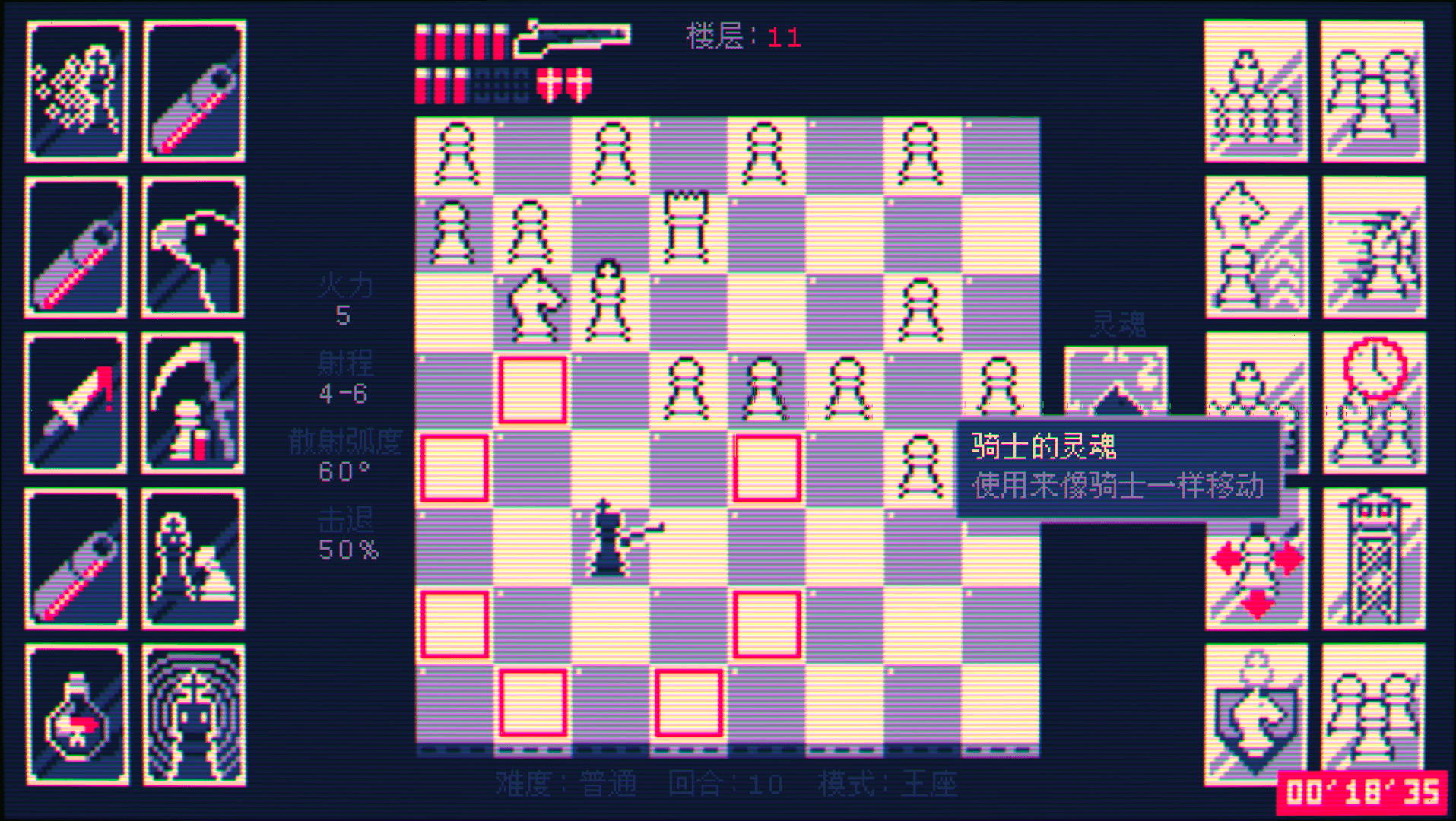
- Played: Game | Shotgun King | ★★★★
- Playing: Game | Overcooked! 2
Shotgun King is a wonderfully creative game — a completely remixed chess variant where you play as the black king, alone against the world, armed with a shotgun.
Recent Code
TypeScript React   45 hrs 11 mins ███████████████▊░░░░░  75.3%
TypeScript         10 hrs 14 mins ███▌░░░░░░░░░░░░░░░░░  17.1%
Markdown           1 hr 50 mins   ▋░░░░░░░░░░░░░░░░░░░░   3.1%
JavaScript         1 hr 17 mins   ▍░░░░░░░░░░░░░░░░░░░░   2.2%
JSON               1 hr 1 min     ▎░░░░░░░░░░░░░░░░░░░░   1.7%