← Airing’s reading streamIssue 002简体中文 ↗
NO. 0022026.09.27—10.03

AI Trends Weekly

Every Monday · Understand what is changing

Airing’s bear editing a film, with a ribbon of frames crossing watercolor, paper theatre and graphic scenes; AI concept illustration

COVER STORY · CODE & FILM

Opus 5.5

Make films
with code

Direction · style · timeline · rendering
The bear’s desk · AI illustration

AGENT ENGINEERINGPi 1.0, two paths for agents

THE TOOL SHELF10 tools, in brief

AIRING’S READING DESK

002

Creation speeds up.
Judgment still matters.

From films built with code to leaner agents: how do faster, cheaper tools become workflows we can control?

Editor
Airing ↗
Reading period
2026.09.27 — 2026.10.03
Publication date
2026.10.05 Every Monday
Inside
45 saves · 5 themes6 features · 10 tools · 13 briefs

EDITOR’S GUIDE

How does code become a film? How do agents retain evidence with less context? Which tools deserve a try?

From Airing’s reading stream
Original readings, image credits and supporting references included.

01

Films from code

Workflow · gallery · creative notes

COVER STORY

Opus 5.5: making films with code

Opus writes animation, a browser renders frames, and editing tools assemble the film. The interesting change is how precisely a film can be revised.

01 / How does code become a film?

Lemo-opuscar has three layers: the model writes Canvas or WebGL animation; a browser draws frames at specified times; FFmpeg combines those frames with sound and captions. The generated artifact describes how to draw each frame.

That matters when revising: move a title’s cue, change a camera curve, or replace a chart parameter. Content and timing remain inspectable in code. The trade-off is subject matter: the gallery does not demonstrate realistic acting or continuous natural motion. Graphic explainers, brand motion and stylized shorts are clearer starting points.

01 / PRODUCTION
One treatment, three tracks, one timeline

The bear aligns film frames, waveform paper and caption strips at shared cut points on the editing desk; editorial concept art.

Bear editing desk · editorial concept art. Picture, sound and captions share cut points; the adjacent text gives the production steps.

Story · style · shots & beatsDefine the change the viewer should understand
PICTURE
Animation code
Canvas / WebGL → render(t)

A browser selects frames by time; titles, motion and parameters remain editable.

SOUND
Voice · music · effects
Audio tracks + timed cues

Speech and action share cues rather than independent clocks.

TEXT
Captions and titles
Text + start / hold time

Plan both the words and the time needed to read them.

FFmpegFrames + mixed audio + captions → film

Editorial diagram based on DIRECTOR / TECHNIQUE. Shared cues make revisions locatable.

02 / Style changes how a story moves

Each STYLE guide constrains motion and transitions as well as palette and material. A whiteboard can reveal a concept stroke by stroke; shadow puppets obey joints and screens; Swiss motion uses grids, type and rhythm. The wrong choice can obscure an otherwise complete film.

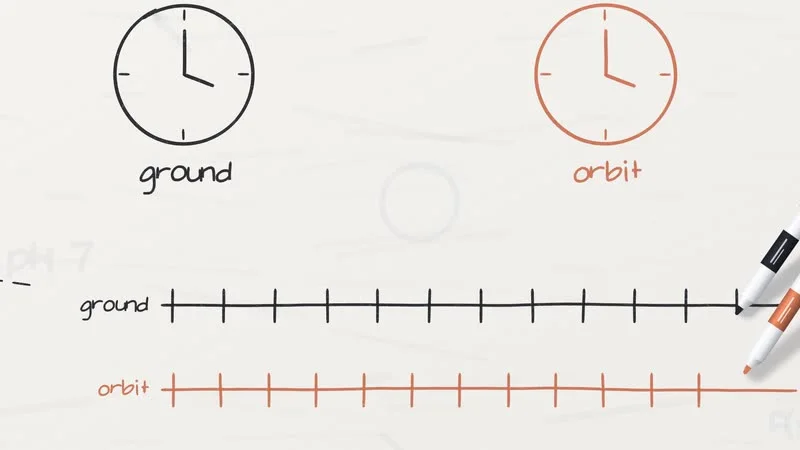
The whiteboard sample compares clocks on the ground and in orbit to explain the GPS correction, introducing marks alongside the explanation. Swiss motion emphasizes structure and rhythm, while puppetry turns light and character movement into narrative cues. Choose the change a viewer needs to see before choosing the visual style.

Clocks and explanatory marks in Lemo’s whiteboard sample

WHITEBOARD

Two clocks make a difference visible

Create comparable objects, then reveal marks and formulas alongside the voice. The picture carries the explanation.

Read the style guide ↗
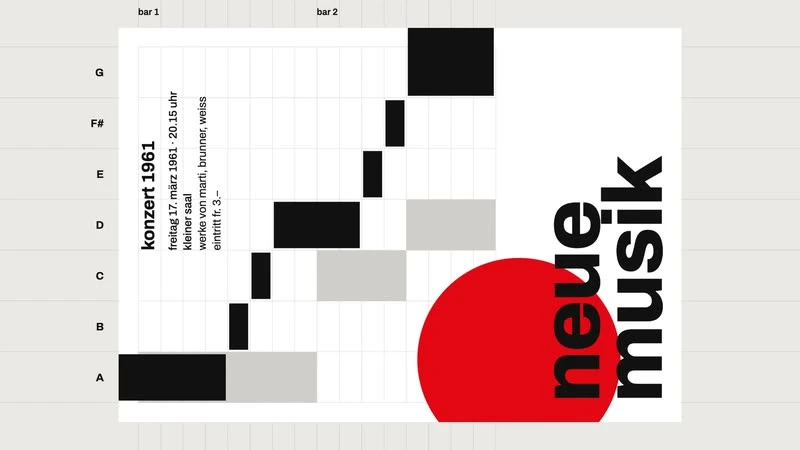
Swiss motion · Lemo lemo-opuscar
Swiss motion
Grid × type × rhythm

Recompose structure on the beat to show rules, proportions and exceptions.

STYLE.md ↗

Shadow puppetry · Lemo lemo-opuscar
Shadow puppetry
Joints × screen × light

Movement follows the puppet’s construction; light can carry the narrative.

STYLE.md ↗

Watercolor brush · Lemo lemo-opuscar
Watercolor brush
Strokes × washes × space

Material can carry a transition and mood while keeping information readable.

STYLE.md ↗

Urban sketch · Lemo lemo-opuscar
Urban sketch
Lines × color × streets

Sequenced lines and washes guide the viewer’s discovery of a place.

STYLE.md ↗

Source frames: Lemo / lemo-opuscar, revision c4bc370. Click a frame for full size. The bear cover is a separate editorial illustration.

03 / Put shots and sound on the same clock

The editorial storyboard below explains context management: pose a question in three seconds, crowd the desk with logs, archive the full record while retaining a recall handle, then retrieve evidence to close. Each visual change carries a change in understanding.

A render(t) function selects the picture at a given time; speech, captions and effects share its cues. Live machine speed and uncontrolled randomness must not change the frame. At the guide’s default 24 fps, 45 seconds produces 1,080 frames—an editorial calculation, not a throughput result. Lengthening narration requires shifting dependent cues together.

02 / STORYBOARD
45 seconds, four changes in understanding
Editorial storyboard · not an original project film
  1. The bear pauses with a pencil at the editing desk, with one sheet and a green notebook; editorial concept art.
    01
    00–03s
    Pose the question

    “Why does work get messier?”

    Begin with a moment of hesitation, then introduce the context question.

  2. Continuous log paper and repeated stacks crowd the desk as the bear struggles to hold them; editorial concept art.
    02
    03–15s
    Reveal the burden

    “The same log returns every turn.”

    Repeating paper crowds the desk, making redundant input visible.

  3. The bear stores the complete material in a green archive box, keeping an index card and only selected pages on the desk; editorial concept art.
    03
    15–32s
    Separate storage and reading

    “Keep everything; read what is needed.”

    Archive the complete record; retain an index and the pages needed now.

  4. The bear compares a small summary card with the retrieved original, with a magnifying glass nearby; editorial concept art.
    04
    32–45s
    Return to evidence

    “Retrieve the original when needed.”

    Place the summary beside the retrieved original and check the same detail.

Bear storyboard · AI concept art. These are static narrative frames showing each shot’s purpose, not a claim that Opus generated this animation.

Shared clock
0s15s30s45s
Picture
01020304
Voice
01020304
Captions
01020304
How does one edit propagate?

Longer shot-02 narration → shift shot 03 → update picture, captions and sound cues → render and assemble again.

Storyboard panels have equal width; tracks use proportional duration. Editorial frame calculation: 45s × 24 fps = 1,080frames; not a speed measurement.

04 / Make revision a concrete operation

DIRECTOR establishes a subject, goal and turn before defining shots and sound. TECHNIQUE addresses rendering and assembly; STYLE supplies the visual method. Review story, appearance and pacing independently, before a full film reveals a wrong direction.

Inspect a contact sheet for repetitive compositions, missing actions and discontinuities, then watch with sound for rushed speech, unreadable captions and distracting effects. Editable code still needs editorial judgment. The saved title retains 39 styles; the checked repository lists 43. Runnable code, asset rights and a test film matter more than that count.
Creative notes / Look at the work

Stamp-book motion: finish one small gesture

Page turn, stamp, next page. Study the rhythm and material transitions as UI or brand-motion inspiration; the example does not need a grand AI thesis.

Art history in 15 seconds: expression and compression

The creator’s Fable 5.5 clip offers visual transitions and stylistic continuity to study. Condensing history is a creative interpretation; a clip alone cannot establish historical accuracy, production time or reproducibility.

Faster technology still needs creative judgment

Katzenberg brings the discussion back to imagination, emotion and compensation for creators. Alongside the cover story, ask whether easier production also improves storytelling, choices and collaboration terms.

02

The agent workspace

Context · Pi 1.0 · Mods

FEATURE / 01

Less context, with evidence intact

Pi separates the archive from the working context; SoL-Pi reduces repetition. A smaller bill can also come with fewer solved tasks.

01 / Keep the archive; select the working context

Imagine a 2,000-line build log entering several later decisions even when the next step only needs an error location. The repeated observation is the problem, not just its initial size. That line count is an editorial example, not a token measurement.

The saved Pi post separates session history from the current context projection. SoL-Pi’s ObservationPack retains full output locally, presenting handles, excerpts and paged recall. Preserve the record while selecting what to show. “Build failed” loses the cause; a handle, relevant lines and next goal allow the summary to be checked.

03 / CONTEXT
A complete record can have a compact entry point
Editorial example · 2,000-line log · structure, not token measurements
BEFORE
Carry the full output each turn
build.log0001 … 2000
Next decision0001 … 2000
Another check0001 … 2000

Archive, current goal and observations remain mixed in the input.

AFTER
Retain the archive; select the input
Full log / local archivebuild.log · 0001 … 2000
What the model sees now
Handle
log:build/184
Excerpt
317–322 · error location
Next
Edit the relevant file, then verify

Need more evidence? Retrieve the relevant source through the handle.

Handles and line numbers are illustrative; recall APIs depend on the extension. Less repeated input, with the original evidence retained.

02 / Fewer turns should retain the checks

Codemode runs JavaScript in QuickJS to orchestrate tools, filter results and explicitly return useful output. A read-only sequence—locate a log, select errors, fetch relevant passages—can yield one compact result. Combine operations that need no intermediate judgment; do not fuse a conditional write merely to eliminate a turn.

The sandbox has no Node runtime, arbitrary filesystem access or network; capabilities come through exposed tools. Its failure does not undo external writes or sends. Compaction can also rewrite a cached prefix. Future savings must repay rewriting and cache reconstruction, rather than merely shorten the current prompt.

03 / What is the success denominator?

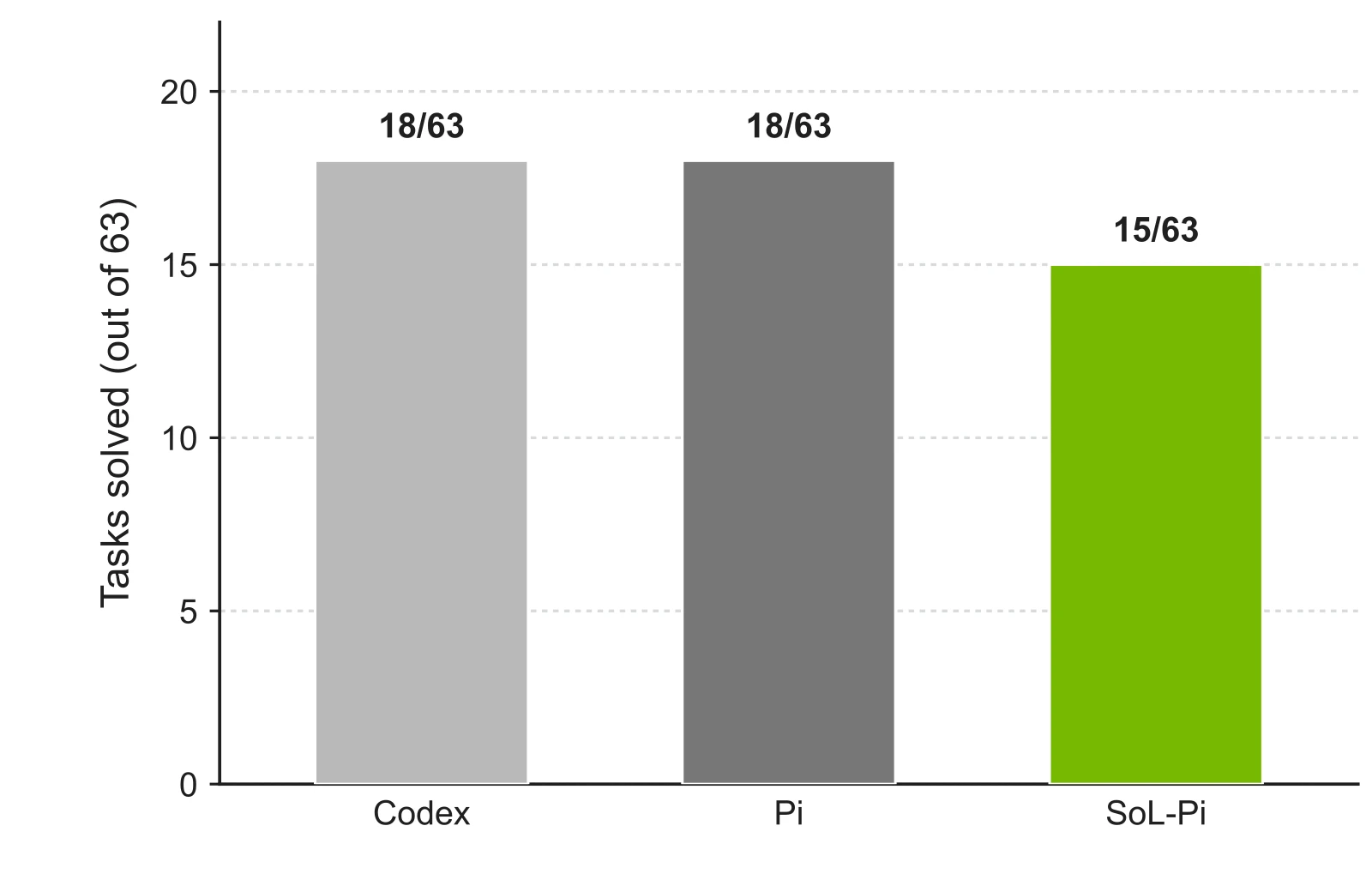
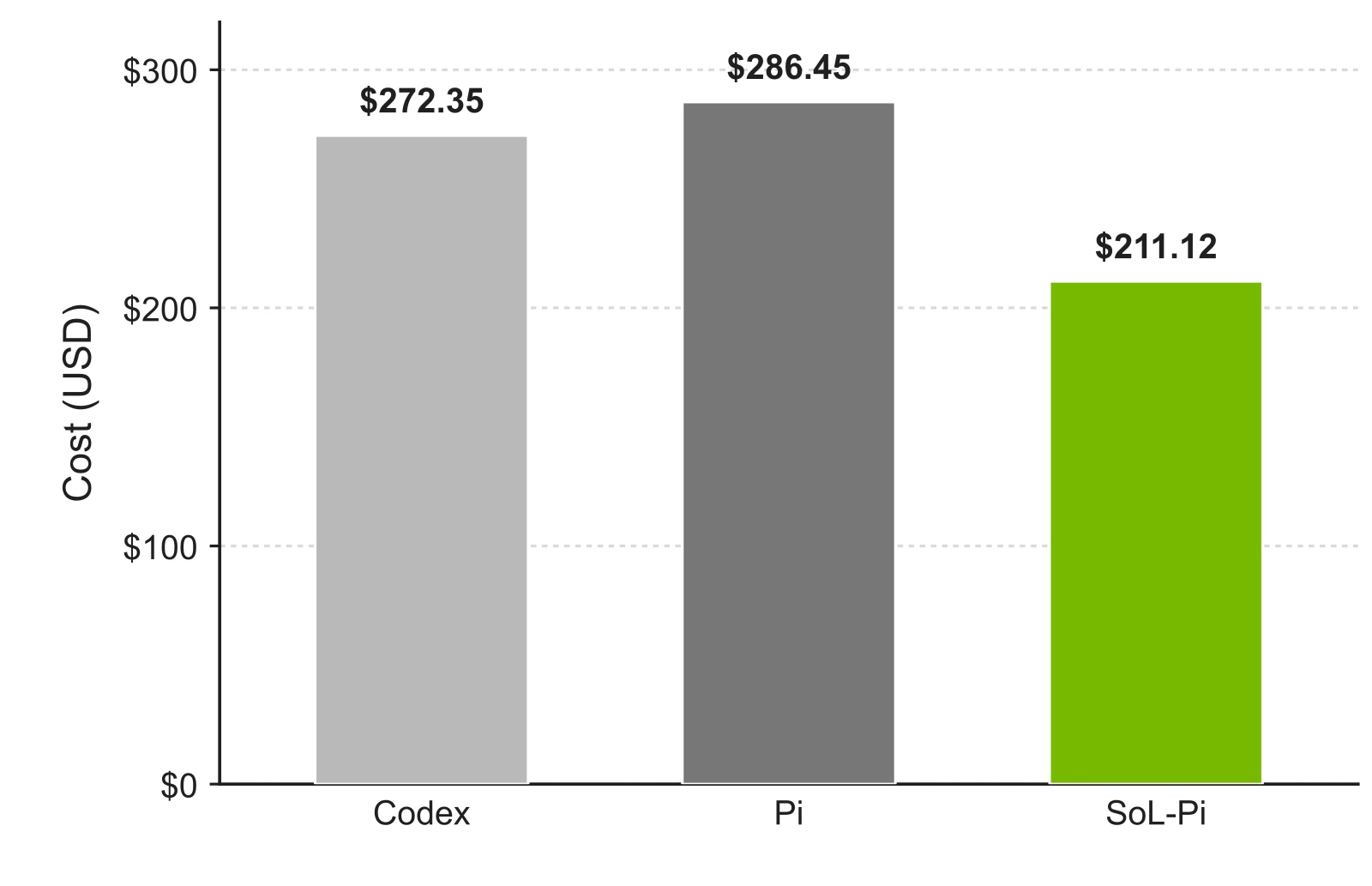
SoL-Pi has four opt-in mechanisms, disabled by default. Its reported TerminalBench 4 comparison covers 63 CPU-only tasks: Pi solved 18 for $286.45 in total API-equivalent cost; SoL-Pi solved 15 for $211.12.

Total cost fell about 26.3%, alongside three fewer solved tasks. Dividing total cost by solved count gives an editorial amortized estimate of $15.91 versus $14.07, about 11.6% lower. This does not control task difficulty. Read completion alongside the bill. Inspect context occupancy, test evidence recall and failure diagnosis on your own tasks, then select the mechanisms to enable.

Completion / Tasks solved out of 63
Full image ↗
Completion / Tasks solved out of 63

The source includes Codex, Pi and SoL-Pi. The ledger below compares Pi with SoL-Pi only.

Image source: NVlabs · SoL-Pi ↗
Total cost / API-equivalent bill
Full image ↗
Total cost / API-equivalent bill

USD for the full task group, including unsuccessful attempts; not a successful-call unit price.

Image source: NVlabs · SoL-Pi ↗
EDITORIAL CALCULATION / SAME TASK GROUP
Total bill −26.3%. What about each solved task?
HarnessTotal costSolvedCost ÷ solved
Pi$286.4518 / 63$15.91
SoL-Pi$211.1215 / 63$14.07
−11.6%amortized cost per solved task

Three fewer tasks were solved. Amortization includes failed attempts and does not control task difficulty.

TerminalBench 4 · 63 CPU-only tasks · USD · NVlabs ↗

FEATURE / 02

Pi Agent 1.0: two paths for agent work

Pi 1.0 refines the minimal terminal agent; the experimental Pi Durable explores long-running work. The release brings both choices into focus.

01 / One release day, two different paths

Pi Agent 1.0 shipped on October 1. It remains a coding agent driven by one person in a terminal. The separate Pi Durable package, released the same day, is an experimental framework for long-running tasks and multiple clients. They share model infrastructure and minimalist principles, while serving different workflows.

Read the week as a sequence: version 0.99 added MCP, Codemode and virtual models on September 29; 1.0 further reduces prompt overhead, refines the terminal and hardens authentication. The official demo combines Claude planning, Jev classification and GPT implementation in one conversation. The editorial reading: the important opening is the ability to define your own workflow.

RELEASE / 2026.10.01
One release day, two destinations
PI CODING AGENT / 1.0
One person, working in a terminal

Write code and use tools; inspect an interruption and ask it to continue.

1.0 refinements: fullscreen by default, leaner Codemode prompts, image generation in scripts and stronger MCP OAuth.

PI DURABLE / EXPERIMENTAL
Long-running work, with saved progress

Build applications for long tasks and multiple clients; save checkpoints and resume unfinished work.

A separate experimental package. Tool replay needs an explicit policy; applications compose their own subagents.

Editorial comparison from the official announcements. Shared foundations, distinct use cases; evaluate Durable’s experimental status and replay policy separately. Announcement ↗ · Pi Durable ↗

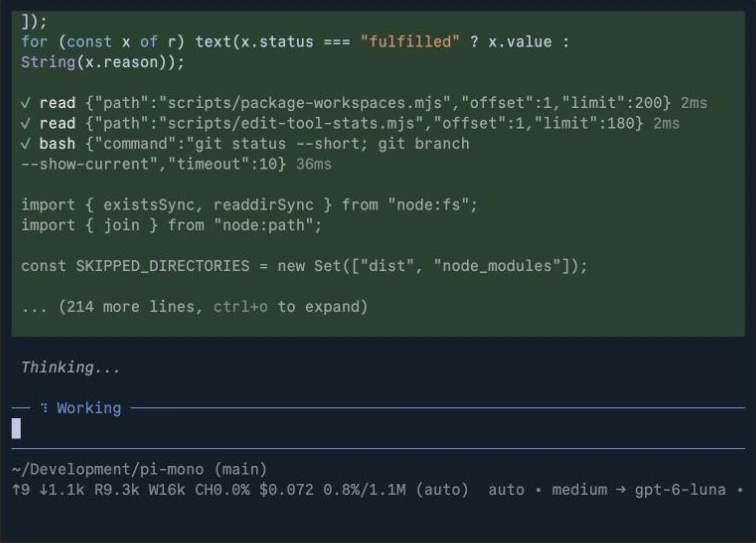
Official demo / The custom router has switched to implementation
Full image ↗
Official demo / The custom router has switched to implementation

The official Pi 1.0 terminal recording at about 1:32; the footer shows gpt-6-luna. The full demo uses a custom router/auto extension for Claude planning, Jev classification and GPT implementation. This is neither a default routing policy nor a Durable recovery demonstration.

Image source: Earendil · Pi 1.0 ↗

02 / A crash can leave a send outcome unknown

Consider an agent sending a finished report. The email provider accepts it, but the process exits before storing the receipt. After restart, the local record shows intent without success. Replaying may send twice; ignoring the gap can lose subsequent work. The missing information is the action’s outcome.

Pi Durable checkpoints each step and resumes unfinished tasks after restart. Model requests can be sent again; interrupted tools rerun only when declared safe, otherwise the model receives an interruption result. External effects follow a separate timeline: distinguish committed completion, confirmed non-execution and an unknown outcome. The last requires provider reconciliation or an idempotency key. No receipt does not establish non-execution.

04 / RECOVERY
Accepted by the provider, but no stored receipt
Editorial failure scenario · not Pi’s default sending policy
The bear checks a blank receipt book beside an envelope already in the dispatch box and a powered-off computer; an editorial failure scenario.

The envelope is in the dispatch box while the receipt book is blank. The illustration shows the gap between an external effect and a local record.

  1. 01Record send intentLocal record exists
  2. 02Provider accepts requestThe effect may have occurred
  3. ×Process stopsReceipt not committed
After restart: reconcile the stateMissing receipt ≠ unsent
✓
Confirmed complete

Reuse the committed result and proceed.

○
Confirmed unstarted

Schedule according to policy; preserve completed work.

?
Unknown outcome

Check provider state or the idempotency key before deciding to retry.

Conversation persistence retains progress; an external effect still needs external confirmation.

03 / Ownership makes parallel work recoverable

Parallel research helps independent work; shared outputs introduce merge order, cancellation and replay concerns. Pi Durable has no built-in subagents. An application can compose them from separate conversations with explicit ownership; a child owned by a parent tool call receives cancellation when that call aborts. The useful record captures dependencies and committed results.

For a report, research and illustration can run together; sending must wait for the text and attachment. After restart, reuse committed results, reschedule confirmed unstarted work and reconcile unknown outcomes. An editorial recommendation is to record completed steps separately from external effects, so a local interruption need not replay the whole workflow.

04 / A release to explore, compatibility to test

The saved Pi 1.0 commentary raises extension conflicts, cache changes and upgrade compatibility. These are user reports, not a verdict on every environment. The official announcement also clarifies the two developments: continued refinement of the terminal agent, alongside a separate experimental framework for longer work.

An editorial recommendation is to identify a real recovery point: overnight research, an approval wait, or a submission that must not repeat. Interactive terminal work can still benefit from light tooling. Unattended work that must survive process restarts needs a tested state and recovery policy. Try the upgrade with existing extensions and an interruptible task: what survives, and why will the next action run only as intended?

FEATURE / 03

Claude Mods: tools that fit your workflow

From context displays to timely reminders, the terminal agent is becoming a customizable work environment.

01 / Place useful information before the action

Mods attach to events around tools, input, interface updates and permissions. Token Weather exposes context and cost; Blast Radius helps inspect impact; Replay Theater reviews changes. They address expenditure, prospective impact and completed work respectively.

For a batch edit, an impact view belongs before execution, when it can reveal unexpected directories. The diagram separates the action path from its observers. Visibility, reminders and intervention carry different power. Rewritten tool arguments still need permission checks against the action that will actually run.

05 / EVENTS
Checks on the action path; reminders alongside it
  1. ModelPropose a tool callWhich files will change?
  2. MOD EVENTObserve / handle eventIs the impact unexpected?
  3. Permission boundaryCheck the actual actionCheck rewritten arguments too
  4. ToolExecute and returnRetain a reviewable result
OBSERVER PATH
Token Weather / Replay Theater

Inspect context, cost and edits; these provide information.

You should know

Flag an omitted requirement with evidence; this provides a reminder.

Editorial structure. A reminder is not authorization; an extension does not remove existing permission requirements.

02 / An observer needs a reason to speak

The saved “You should know” sideagent watches for omissions. In a long task, it might flag a removed source link required by the user, citing both the requirement and evidence. Repeating the main model merely adds interruptions and context.

The MW2 lobby save instead treats waiting as a shared experience. Assess reminders through missed requirements and false alarms; assess the lobby through the waiting experience. A pleasant interface does not establish reliable execution, and a reminder should never substitute for authorization.

Supporting referencesClaude · Mods launch ↗

Field notes

From writing code to operating systems

The Tencent Cloud SRE case connects infrastructure, observations and knowledge in a graph, and stages capability from read-only diagnosis to approved recommendations and execution. The lesson is gradual delegation: demonstrate explanations before permitting operational changes.

Define the work before assembling an agent team

The Opus team example is a starting point. Decide role boundaries, handoff artifacts and acceptance checks first; independently verifiable work keeps collaboration from merely adding conversation.

03

Cost and quality

Routing · evaluations

FEATURE / 01

When does Jev routing actually save money?

Five Jev saves explore division of labor: do classification, scoring and routing always require full generative reasoning?

01 / Define a choice that can be checked

This week’s five Jev saves extend the first issue’s decision-model theme: separate bounded choices, scores and binary judgments from long-form generation. Inbox categories, relevance and model selection have explicit candidates; an explanation spanning several sources still needs open reasoning. Short output alone says little about the consequences of a wrong decision.

An editorial reading-stream example offers three categories: product, mechanism or opinion. A straightforward launch fits the tool shelf; a launch with substantive analysis needs another look; a partial email cannot become a factual feature on title alone. Retain evidence, options and the choice, rather than only a label.

02 / Escalate uncertainty; separate permission

Confidence expresses certainty about a choice, not permission to act. Routing to “ready to publish” does not authorize publication; selecting deletion does not bypass permission or verification. Use a lightweight layer for routine choices, escalate ambiguity and high-consequence inputs, then apply independent result checks.

Run the new router in shadow mode first: the current process acts while the router logs advice for comparison. Distinguish a mechanism article wrongly placed on a product shelf from an unverified claim presented as fact. Set acceptable errors and stop conditions before calibrating escalation; no universal threshold can do that for every task.

06 / ROUTING
Reading-stream routing: separate choice from action
Editorial task example · no universal confidence threshold
Saved text + allowed categories + source completenessA lightweight layer returns a choice and confidence
ROUTINE
A clear product launch

Place on the shelf with a concise description.

AMBIGUOUS / INCOMPLETE
Both product and mechanism

Escalate to a model or human; retain the uncertainty.

Shared outcome verificationTraceable sources · valid category · fulfilled requirements
If the next step publishes or sendsCheck authorization separately; confidence cannot grant it.
Total cost per successful task
Routing + execution + escalation + verification + recoveryCompleted tasks

Assess the full bill alongside completion. The authors’ separate savings accounts are not combined into one dataset.

03 / Count saved calls and added recovery

The Jev-plus-Kimi and Jev-plus-Opus saves report “90%” and “$106” savings; the GrokBot example offers another orchestration pattern. Different tasks, success rules and error costs prevent merging these accounts into one return curve.

Include routing, execution, escalation, verification and recovery in the bill, then divide by completed tasks. Discarding difficult work can make costs look attractive; escalating everything adds overhead. Compare a full-strength baseline with mixed routing on the same cases, tracking completion, total cost and latency. Preserve the outcome before interpreting the savings.

FEATURE / 02

90.5% at about a fifth of the cost: an eval case

A 44-ticket support case shows why a higher score needs a named dataset—and an account of what the agent changed.

01 / Hold 14 cases apart before optimizing

Lance Martin split 44 support tickets into 30 optimization cases and 14 independent held-out cases. On the holdout, reported accuracy rose from 78.6% to 90.5%, at about one fifth of baseline cost. Do not convert that reported accuracy into an assumed integer count of correct tickets.

The best optimization-set score was 98.9%; the holdout reached 90.5%. They answer different questions. The chart compares only the holdout, with cost indexed to the baseline and the reduction marked approximate.

07 / HELD-OUT RESULT
Compare accuracy and cost on the same held-out cases
30Search / guide edits
14Held out / final check
Held-out accuracy
As reported · percent
Baseline
78.6%
Optimized
90.5%
0100%

+11.9 pp11.9 percentage points higher

Relative cost on the same holdout
Baseline = 100 · not USD
Baseline
100
Optimized
≈20
0100

≈ 1/5Reported cost ratio

Source: Lance Martin’s support-ticket case. Only the 14-case holdout is compared; the 98.9% optimization score is excluded. Cost is approximate.Source ↗

02 / Let failures identify the useful change

The case improved after removing conflicting prompt instructions and rigid tool rituals, then examining routing and refund-cap rules. A trace can locate a cause that an aggregate score cannot. Treat each edit as a falsifiable hypothesis across prompts, tools, data and model settings.

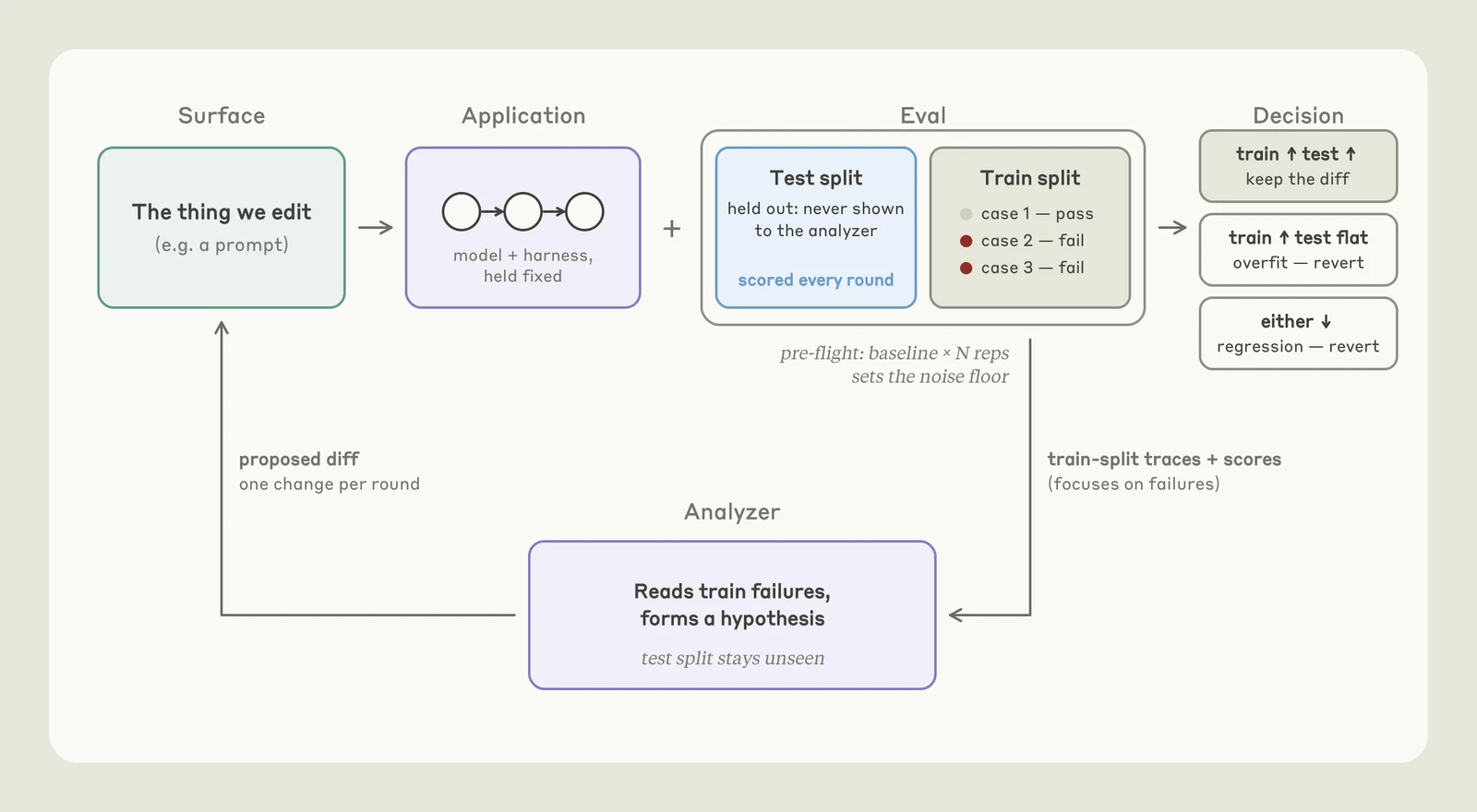
A hillclimb proposes a change, reruns optimization cases and checks independent validation. Keep it only under predefined conditions; otherwise revert. Inspect inputs, tool calls and output to distinguish missing rules, conflicting rules, inadequate tool responses and grading errors. Those failures call for different revisions.

Source diagram / When should a change be kept?
Full image ↗
Source diagram / When should a change be kept?

Compare optimization and independent validation before keeping or reverting a change. Read the loop from the proposed edit through evaluation, comparison and the next failure analysis.

Image source: Lance Martin · Claude ↗
Both improveKeep under the predefined rule
Only seen cases improveInvestigate overfitting before claiming progress
Validation regressesRevert and inspect the failures

03 / Audit the grader as well as the answer

The Thariq interview warns about exploiting evaluation environments. Closed outputs permit deterministic checks: valid categories, required sources and prohibited actions. Open writing needs an explicit rubric covering traceable facts and whether the answer addresses the question, rather than a generic quality vote.

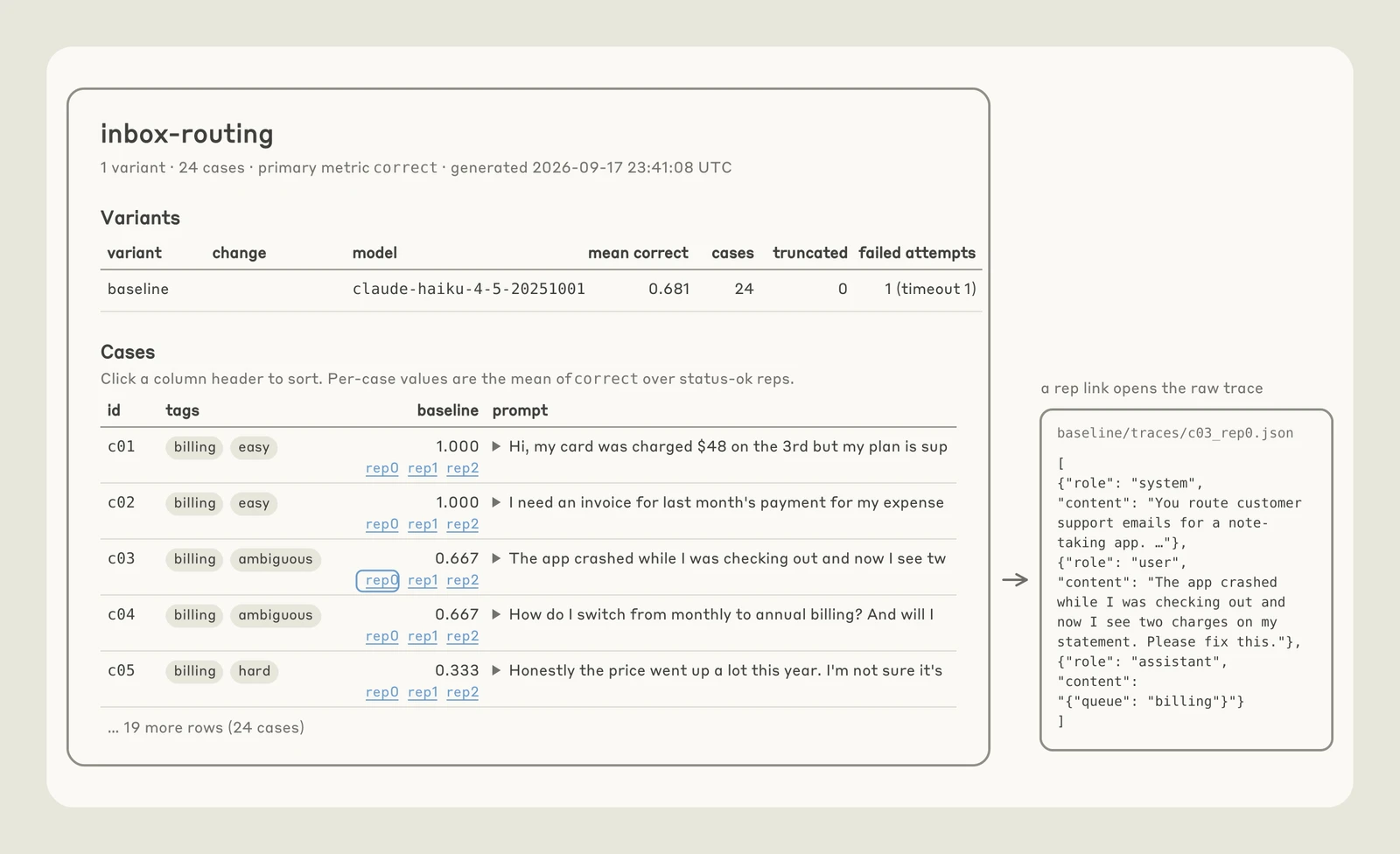
The source screenshot below places scores, cost and traces together. It is a separate demo task, useful for inspecting failures, not evidence for the 44-ticket result above. Grade the same output twice to detect instability before optimizing against that score.

Source interface / Drill from the score into an execution
Full image ↗
Source interface / Drill from the score into an execution

The model, aggregate score and per-case scores sit beside an execution trace. This is a separate inbox demo (24 cases), not the 44-ticket support evaluation above.

Image source: Lance Martin · Claude ↗

04 / Keep skill entry points short and checks specific

Code Contracts places identified requirements, checks and failure behavior beside code. Skill guidance uses progressive disclosure for detailed references. Together, they help an agent discover obligations and establish completion.

An editorial example for this weekly: every save needs a home, products stay concise, mechanisms receive depth, and facts retain sources. Load layout detail when needed; validate coverage and duplicates directly, then audit key claims. The useful property is a requirement that maps to a check, rather than a longer instruction document.

Bring in an advisor at decision points

Use the main model for execution and an advisor before a plan, after repeated failures or before completion. This is a community workflow idea; confirm current configuration and model availability rather than using two models for every step.

04

This week’s tool shelf

Start with the small job a tool solves.

Voice, canvas, memory and tests: 10 tools across 11 saves. A reason to try each, and a boundary to keep in mind.

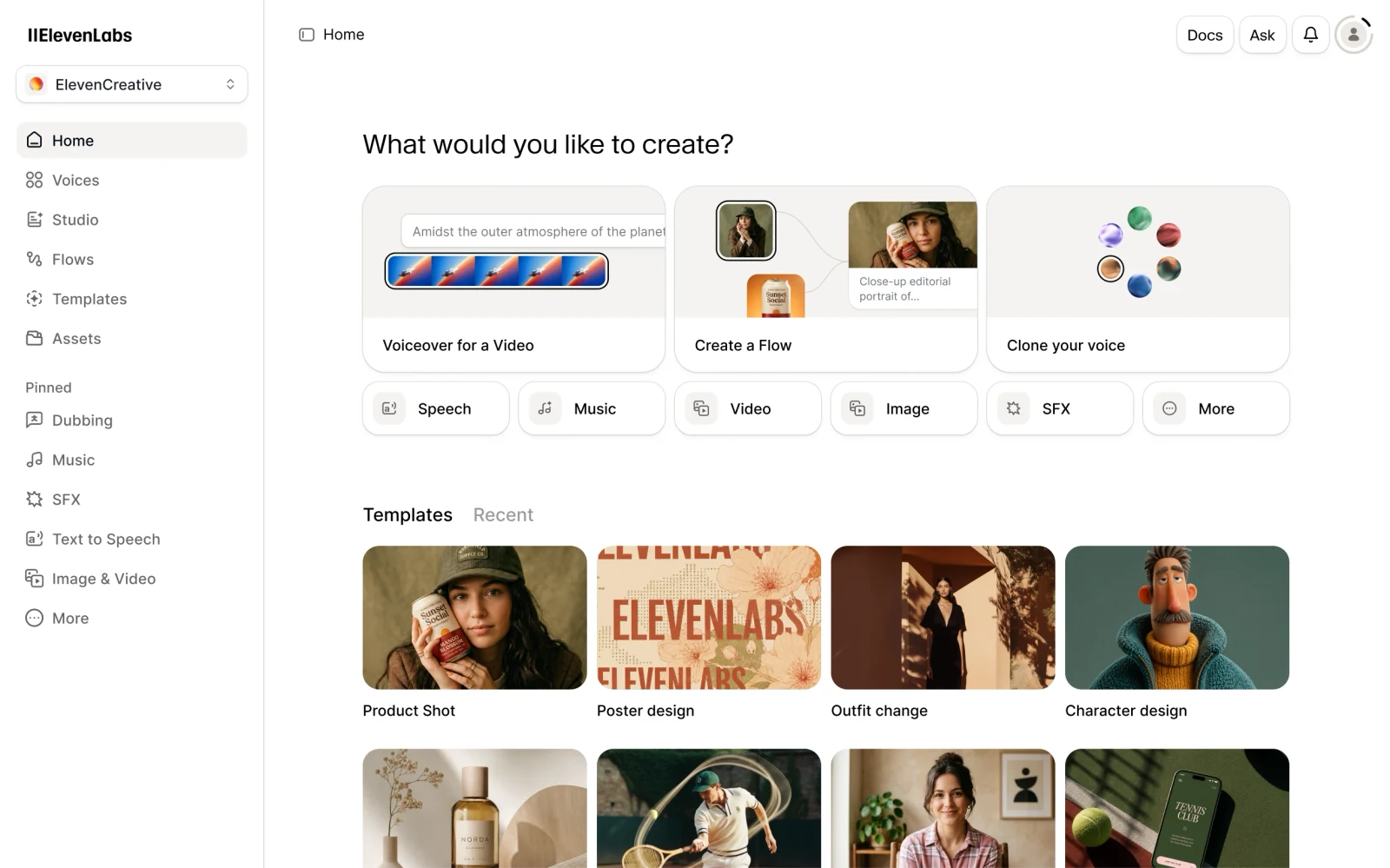
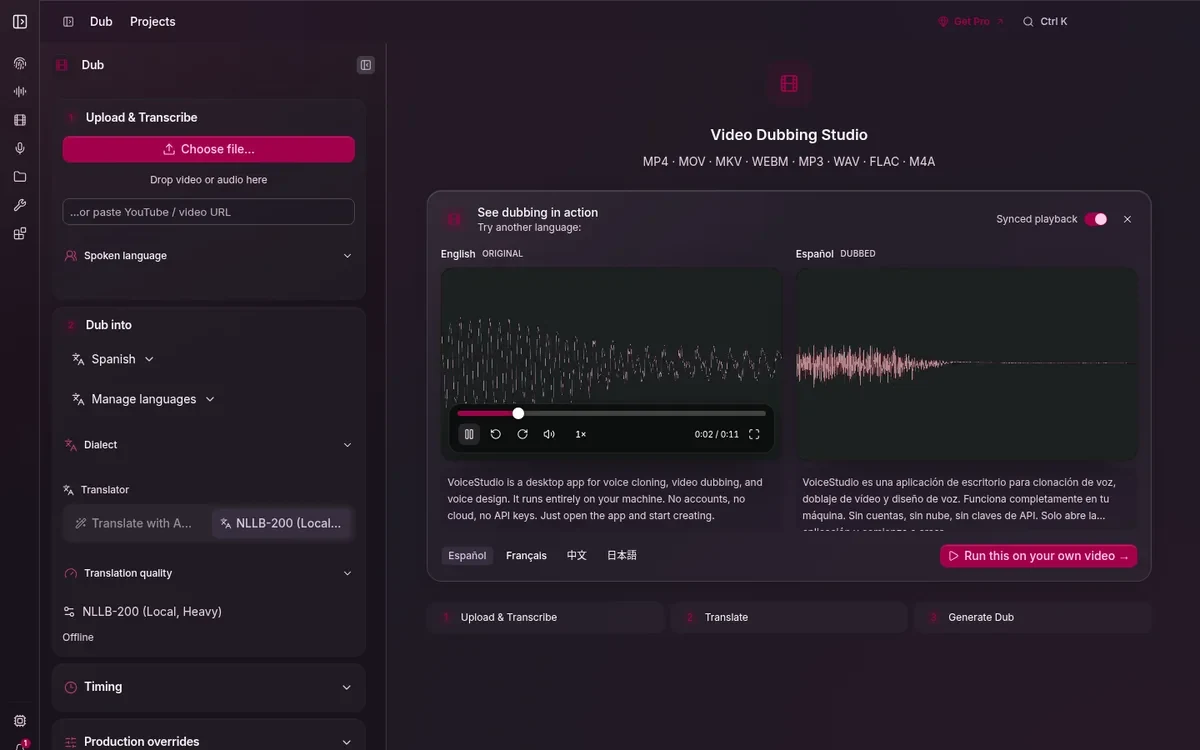
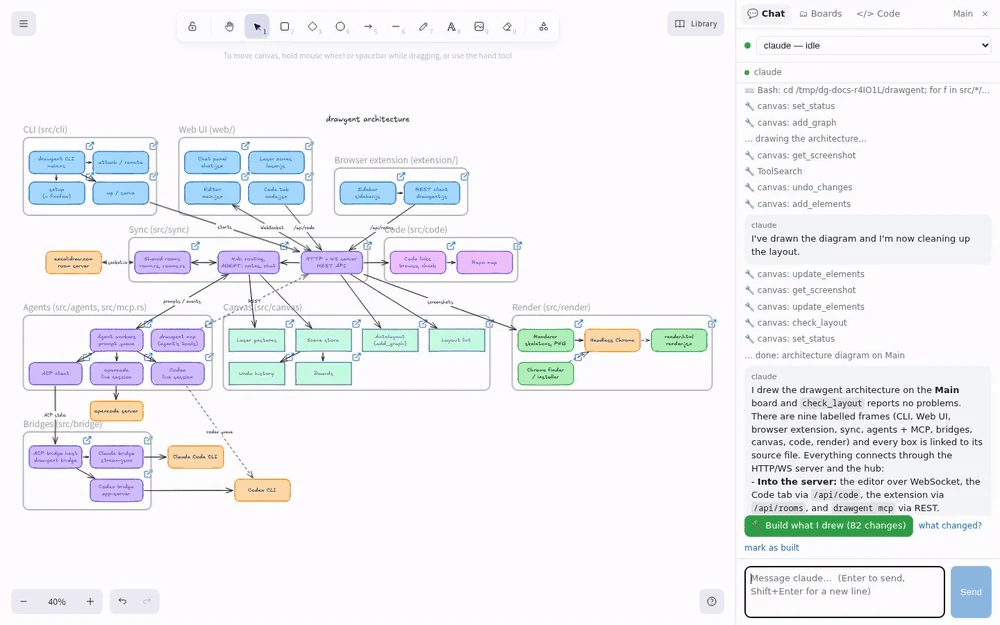
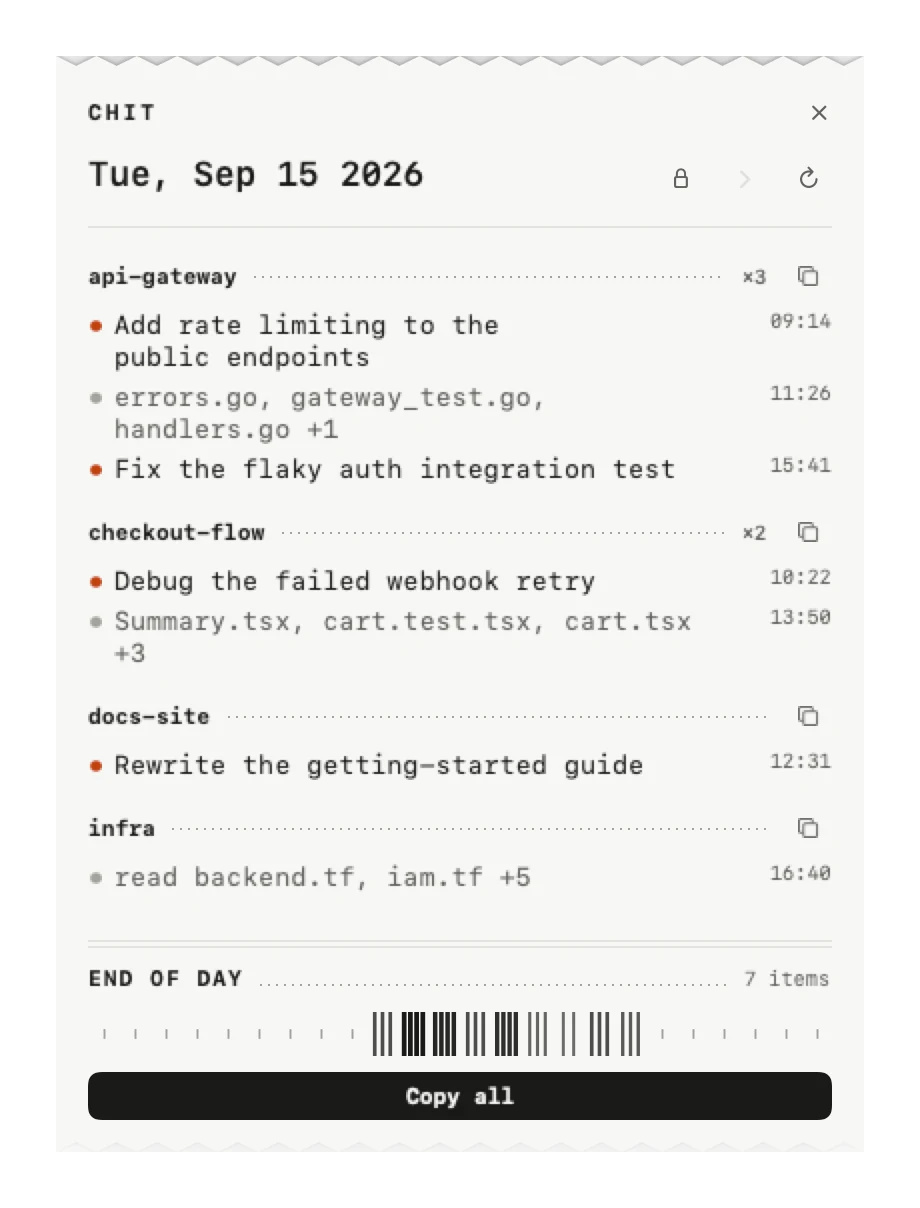
Images from official product sites and project pages; select one to view the complete image.

Local voice02

A community-recommended local tool for cloning, synthesis and dubbing.

For creators who prefer local audio.

Performance and language-count claims are not independently tested.

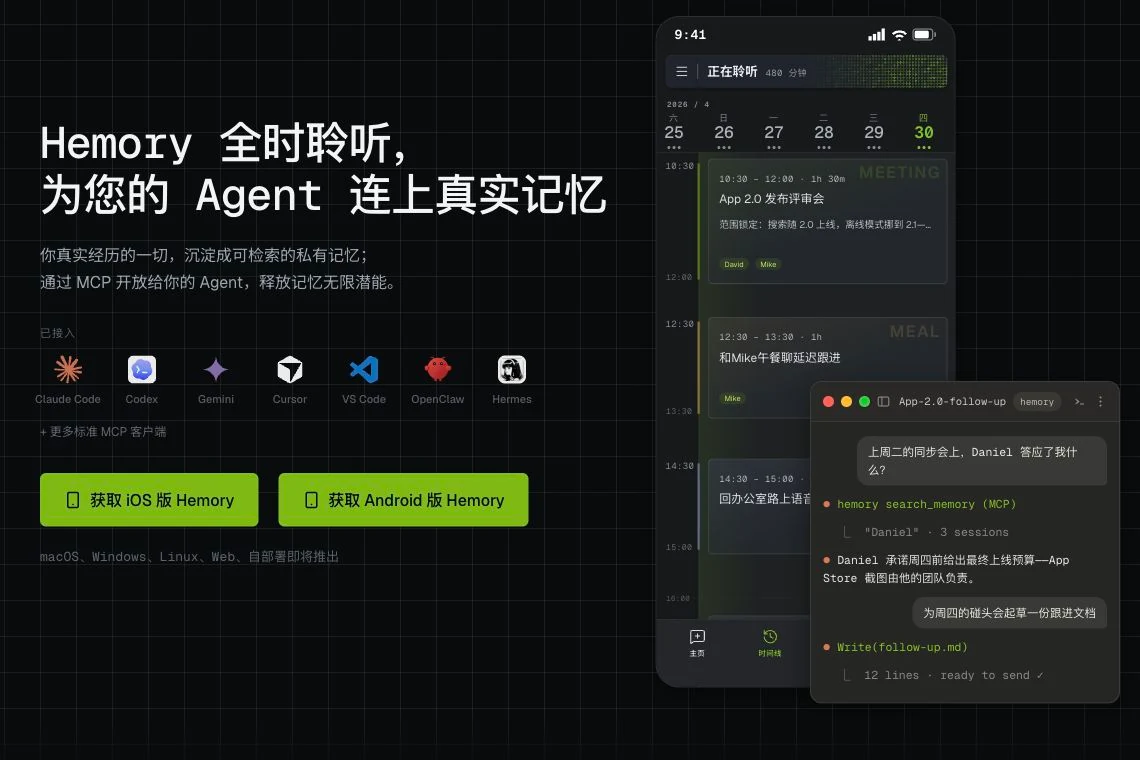
Memory05

Convert everyday speech into searchable memory for agents.

For journals and post-meeting material.

Local audio storage does not imply all processing is offline.

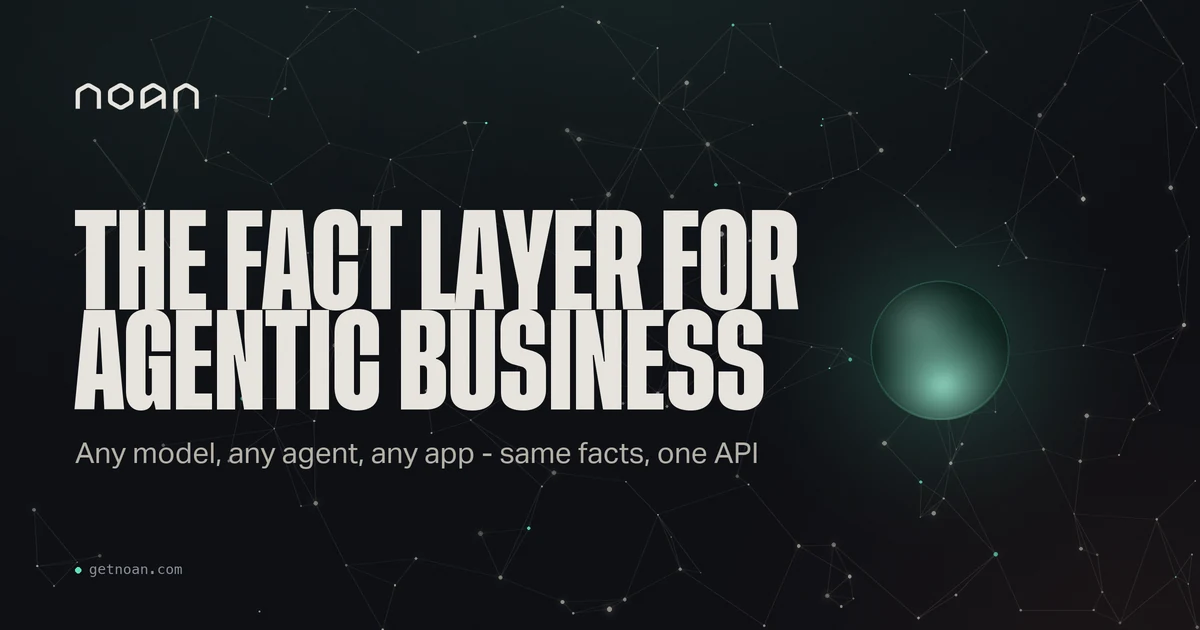
Business context06

A shared source of business facts and context for agents.

For teams needing consistent cross-channel output.

Define data ownership and update responsibilities.

Personal agent07

A personal assistant spanning mobile and shared workflows.

Study its interaction model for personal agents.

Value depends on integrations and delegation controls.

05

Changes to watch

Separate news, opinions and evidence.

READING NOTE

DevDay and Jev: decisions as a platform capability

The two saves summarize DevDay and debate the Decisions API’s impact on Jev. They point toward decisions becoming a platform capability; “killing” a competitor is the author’s interpretation. Compare availability, output guarantees, latency, cost and switching overhead.

READING NOTE

DEX #365: what remains scarce when motion is easy?

This email issue connects ubiquitous motion design with personal agents: lower production barriers do not automatically produce good work, and assistants still need resources and good interactions. It adds an editorial counterpoint to the cover. The saved email has no public original URL.

READING NOTE

AIGC #190: an ecosystem snapshot

The accessible saved portion discusses Opus, Muse and creative examples. This issue indexes only that portion and does not treat the uncaptured paid remainder as read. Alongside DEX, it contrasts new releases with questions about experience and quality.

READING NOTE

What does a personal assistant actually save?

“Nobody wants an AI assistant” is a provocative opinion, not demand data. The useful question is whether users want less mental effort without surrendering decisions. Start with specific repeated tasks and separate recommendations, approvals and execution.

READING NOTE

After creation, think about discovery

This Xiaohongshu marketing save sits at the edge of the AI theme: production also needs discovery and conversion. It remains a short reading note. Timing, account strategy and traffic outcomes are the author’s experience, not guaranteed platform rules.

CHECK THE ORIGINAL

Behind the “AI ban” headline: terminology

The executive order concerns using SI instead of AI in applicable executive-branch communications; existing historical documents need not all be revised. The order does not itself ban the technology. Separate terminology, legal definitions and substantive measures before assessing impact.

KEEP THE DISCOVERIES COMING

A week of AI reading, sent to you.

Every Monday. The cover, theme guide and every reading, in English or Chinese. One email per issue.

Weekly RSS ↗
All saved readings45

Every save has a home in the issue. Related sources and duplicate product coverage are grouped, with original titles and links preserved here.

  1. From Coding to Running: AI Native SRE Agent Engineering姚斌斌 · 腾讯云 CloudQ / InfoQ
    Original ↗
  2. Original ↗
  3. Original ↗
  4. Original ↗
  5. Original ↗
  6. Original ↗
  7. Original ↗
  8. Saved email
  9. Original ↗
  10. Claude Sonnet 5.5 Launch: Nearly Matches Opus 5.5金色传说大聪明 · 赛博禅心
    Original ↗
  11. Original ↗
  12. Original ↗
  13. Original ↗
  14. Original ↗
  15. Original ↗
  16. Saved email
  17. Original ↗
  18. Original ↗
  19. Original ↗
  20. Original ↗
  21. Original ↗
  22. Original ↗
  23. Original ↗
  24. Original ↗
  25. Original ↗
  26. Original ↗
  27. Original ↗
  28. Original ↗
  29. Original ↗
  30. Original ↗
  31. Original ↗
  32. Original ↗
  33. Original ↗
  34. Original ↗
  35. Original ↗
  36. Original ↗
  37. Original ↗
  38. Original ↗
  39. Original ↗
  40. Original ↗
  41. Original ↗
  42. Original ↗
  43. Original ↗
  44. Original ↗
  45. Original ↗

READ WITH A FRIEND

Share this issue

AI Trends Weekly 002 · Opus 5.5: making films with code

Save the cover and send it to a friend who reads with you.

Follow what matters

订阅 Airing

选择接收方式,再决定你真正想看的内容。

新一期编好后发送;周刊邮件中可切换语言或退订。